This repository is a demo for most of the widgets provided by the YaST user interface.
The main purpose is to provide an easily accessible sample of the widgets for editing Qt widget style sheets.
-
Make sure the
yast-rakeRuby gem for your ruby version is installed (ruby2.7-rubygem-yast-rakeat the time of this writing):sudo zypper install "ruby*-rubygem-yast-rake" -
Install:
sudo rake install
-
Graphical (Qt) version:
yast2 widget_demoor
yast2 widget_demo_no_wizard_steps -
Text-based (NCurses) version:
yast widget_demo
This demo application is also included in the openSUSE Tumbleweed installer and will be included in the openSUSE Leap 15.4 and SUSE Linux Enterprise 15 SP4 products.
- Press the
Ctrl+Shift+Alt+Ckey in graphical installation orCtrl+D Shift+Cin text mode installation anytime during the installation - Press the
Expert Consolebutton - In the displayed terminal run the
widget_democommand to start the application
You can run the widget demo also in a Docker container, see more details in docker/README.md.
No root privileges are required for this YaST module.
The Qt UI uses one of the .qss widget style sheets in
/usr/share/YaST2/theme/current/wizard. The default is style.qss.
Set the Y2STYLE environment variable to use a different style sheet:
Y2STYLE=installation.qss yast2 widget_demo
Once the demo is running, you can use the style sheet editor with
Ctrl-Shift-Alt-S.
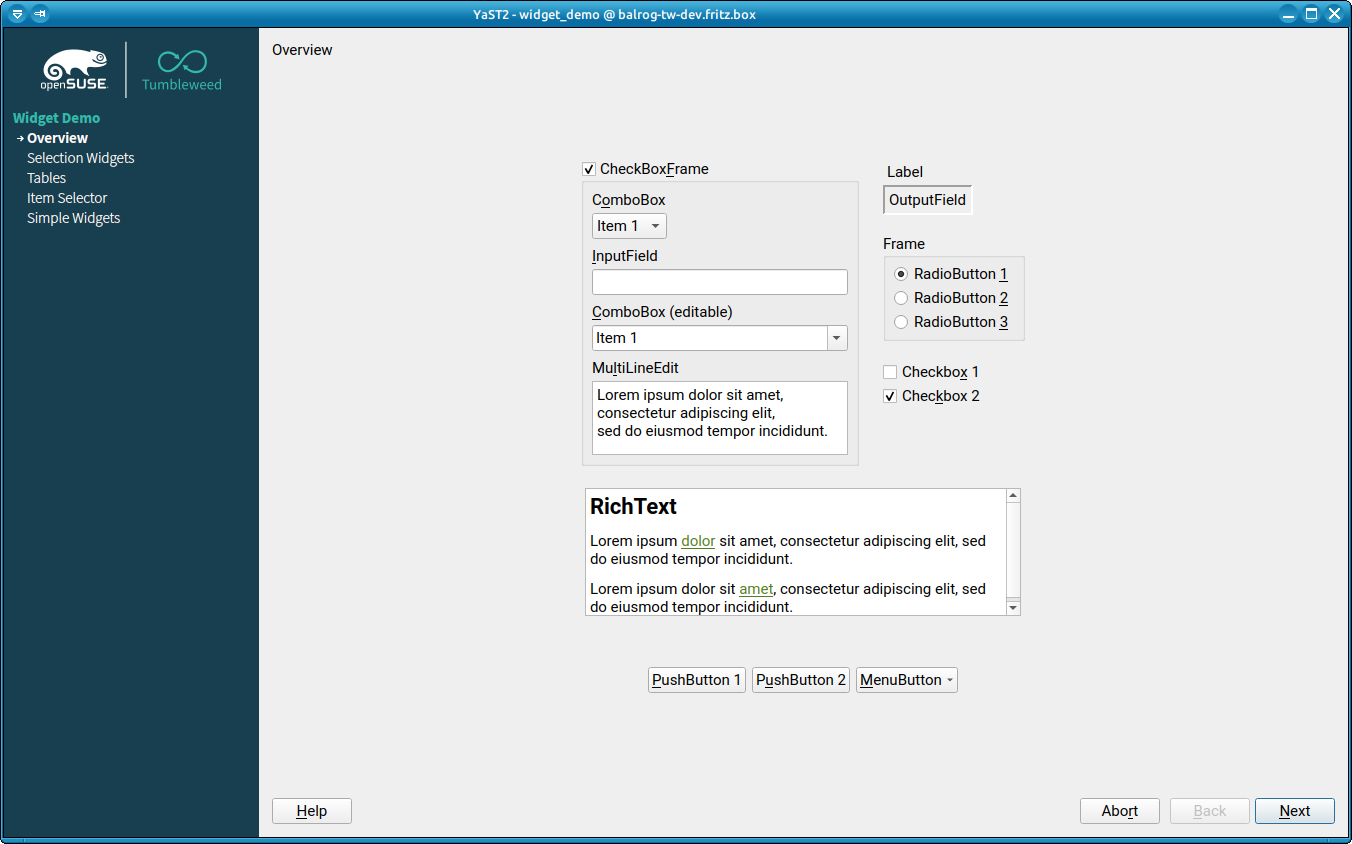
More screenshots at #2
-
YaST QSS for openSUSE Leap 15.3
(switch to another branch in that repository for the theme of a different openSUSE distribution)
-
YaST documentation at readthedocs.io