Prototype — version 0.1. This tool is under active development. Expect rough edges, breaking changes, and incomplete features.
AI-assisted tool that turns Open Government Data (OGD) CSV files into Linked Open Data (LOD) mappings — from raw spreadsheet to a validated YARRRML/RML mapping ready to publish, with minimal manual effort.
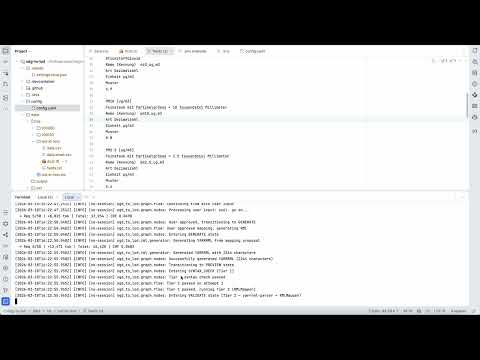
Publishing government data as Linked Open Data requires creating RDF mappings that describe how each CSV column maps to semantic concepts. This is tedious, error-prone, and requires both RDF expertise and deep knowledge of the dataset. OGD to LOD automates this step.
Given a CSV file and optional metadata, the tool:
- Parses the CSV (auto-detects encoding and delimiter) and reads any provided context files (DCAT, Markdown, plain text, JSON — any mix)
- Normalizes context using AI into a unified internal model with per-column descriptions, inferring missing descriptions from column names and sample values
- Proposes a mapping structure (dimensions, measures, datatypes) for user review before generating anything
- Generates a YARRRML mapping targeting the cube.link and schema.org vocabularies
- Validates the mapping with a two-tier pipeline: YAML syntax check followed by a Docker-based yarrrml-parser + RMLMapper execution
- Opens a GitHub PR in the target mappings repository with the generated
mapping.yarrrml.yamland the CSV source file
The result is a human-reviewable pull request that can be merged, adjusted, or rejected — the AI does the heavy lifting, a human stays in control.
- Python 3.11+
- Docker (for full two-tier validation with yarrrml-parser and RMLMapper)
-
Clone the repository:
git clone https://github.com/redlink-gmbh/ogd-to-lod.git cd ogd-to-lod -
Create a virtual environment:
python -m venv venv
source venv/bin/activate  # On Windows: venv\Scripts\activate
-
Install dependencies:
pip install -e ".[dev]" -
Configure environment variables:
cp .env.example .env # Edit .env with your credentials -
Configure the application:
# Edit config/config.yaml with your settings
The application uses a YAML configuration file (config/config.yaml) with environment variable substitution.
| Variable | Description |
|---|---|
APP_GITHUB_TOKEN |
GitHub Personal Access Token with repo scope |
AZURE_OPENAI_ENDPOINT |
Azure OpenAI endpoint URL |
AZURE_OPENAI_KEY |
Azure OpenAI API key |
AZURE_OPENAI_DEPLOYMENT |
Azure deployment/model name |
Use these when running with --use-ollama-llm:
| Variable | Description | Default |
|---|---|---|
OLLAMA_BASE_URL |
Base URL of Ollama OpenAI-compatible API | http://localhost:11434/v1 |
OLLAMA_MODEL |
Ollama model tag (for example qwen2.5:72b) |
unset |
OLLAMA_API_KEY |
API key passed to endpoint (often ignored by Ollama) | ollama |
| Variable | Description | Default |
|---|---|---|
GITHUB_REPO |
Target repository for generated mappings | redlink-gmbh/ogd-to-lod-mappings |
LOG_LEVEL |
Logging level (DEBUG, INFO, WARNING, ERROR) |
INFO |
HUWISE_DOMAIN |
Huwise domain used to derive https://<domain>/api/explore/v2.1 (required only with --dataset-id) |
unset |
HUWISE_API_KEY |
Huwise Automation API key for tests/e2e/push-to-huwise.sh |
unset |
github:
  repo: "org/repo-name"
  token: "${APP_GITHUB_TOKEN}"
  mappings_folder: "mapping"  # Parent folder for all mappings (default: mapping)

azure:
  endpoint: "${AZURE_OPENAI_ENDPOINT}"
  api_key: "${AZURE_OPENAI_KEY}"
  deployment: "gpt-4"

sparql:
  # endpoint: "http://localhost:3030/test/query"  # SPARQL linker — early stage, disabled by default

rml:
  base_uri: "https://example.org/resource/"
  rmlmapper_use_docker: true
  rmlmapper_docker_image: "rmlio/rmlmapper-java:latest"
yarrrml_parser_docker_image: "rmlio/yarrrml-parser:latest"- Default behavior uses Azure OpenAI.
- To use Ollama instead, pass
--use-ollama-llmand setOLLAMA_*variables in.env. - The rest of the workflow and prompts remain unchanged.
SPARQL linker (early stage). When a
sparql.endpointis configured, the tool queries it for existing cube.link properties and DefinedTerms to reuse instead of minting new ones. This feature is experimental and disabled by default — leavesparql.endpointcommented out (or unset) to skip the lookup entirely.
A Dockerfile and root docker-compose.yml are provided so the CLI can
run without a local Python install. The container talks to the host's
Docker daemon via a bind-mounted socket and spawns yarrrml-parser /
rmlmapper-java as sibling containers — there is no
docker-in-docker, and no --privileged flag is needed.
To make sibling-container bind mounts work, the project directory is
mounted at the same absolute path inside the container as on the host,
and Python's TMPDIR is pointed at ${PWD}/.work. That way a path the
app emits (e.g. /Users/you/proj/.work/tmpXYZ) means the same thing to
the host daemon.
# Build the image once:
docker compose build

# Optional: bring up Fuseki alongside (same config as tests/e2e):
docker compose --profile fuseki up -d

# One-shot run against the bundled example (interactive prompts work
# under `compose run`):
docker compose run --rm ogd-to-lod \
    example/weather-binningen-hourly/data.csv \
    --output-folder weather-binningen-hourly \
    --context example/weather-binningen-hourly/dcat.ttl \
              example/weather-binningen-hourly/fields.txt \
    --local

# One-shot run with dataset bootstrap (downloads CSV + metadata first):
docker compose run --rm ogd-to-lod \
    --dataset-id 100051 \
    --local
Credentials come from .env (same variables as the native install).
ogd-to-lod <csv_path> --output-folder <folder> [--context FILE ...]
# or
ogd-to-lod --dataset-id <id> [--output-folder <folder>]| Argument | Description |
|---|---|
csv_path |
Path to the CSV file to map (required for file-path mode) |
--dataset-id ID |
Dataset identifier for bootstrap mode. The CLI downloads CSV + metadata from Huwise before running the normal workflow. |
--output-folder FOLDER |
Target subfolder name in the mappings directory. Required for file-path mode; defaults to --dataset-id in dataset mode. |
--context FILE [FILE ...] |
One or more context files describing the dataset. Any format is accepted: DCAT (JSON-LD, Turtle, RDF/XML), Markdown, plain text, JSON, or combinations thereof. |
| Flag | Short | Description |
|---|---|---|
--config |
-c |
Path to configuration file (default: config/config.yaml) |
--base-uri |
-b |
Base URI for generated resources (overrides config) |
--local |
Write results to results/<timestamp>-<output-folder>/ instead of opening a GitHub PR |
|
--dataset-id |
Bootstrap CSV/context from Huwise API using dataset id | |
--use-ollama-llm |
Use Ollama instead of Azure OpenAI (OLLAMA_* env vars) |
|
--help |
Show help message |
The bundled example under example/weather-binningen-hourly/ contains a
small CSV (data.csv), the full CSV (data.csv), a DCAT
description (dcat.ttl), and a plain-text column glossary
(fields.txt):
# CSV only (no context)
ogd-to-lod example/weather-binningen-hourly/data.csv \
    --output-folder weather-binningen-hourly \
    --local

# With a DCAT metadata file
ogd-to-lod example/weather-binningen-hourly/data.csv \
    --output-folder weather-binningen-hourly \
    --context example/weather-binningen-hourly/dcat.ttl \
    --local

# With multiple context files (DCAT + column documentation)
ogd-to-lod example/weather-binningen-hourly/data.csv \
    --output-folder weather-binningen-hourly \
    --context example/weather-binningen-hourly/dcat.ttl \
              example/weather-binningen-hourly/fields.txt \
    --local

# Override base URI
ogd-to-lod example/weather-binningen-hourly/data.csv \
    --output-folder weather-binningen-hourly \
    --context example/weather-binningen-hourly/dcat.ttl \
    --base-uri https://example.org/data/ \
    --local

# Dataset bootstrap mode (requires HUWISE_DOMAIN)
ogd-to-lod --dataset-id 100051 --local

# Use Ollama instead of Azure OpenAI
ogd-to-lod example/weather-binningen-hourly/data.csv \
    --output-folder weather-binningen-hourly \
    --use-ollama-llm \
--localWhen --dataset-id is used, the CLI derives the base URL (derived_base_url) as:
https://<HUWISE_DOMAIN>/api/explore/v2.1
Then it runs a setup phase before the mapping flow:
- fetches dataset metadata JSON from
<derived_base_url>/catalog/datasets/{id} - fetches CSV export from
<derived_base_url>/catalog/datasets/{id}/exports/csv - fetches DCAT Turtle from
<derived_base_url>/catalog/exports/ttl?where=dataset_id="{id}" - generates a
fields.jsoncontext file from the datasetfieldsschema
Setup artifacts are written under .work/dataset_setup/<timestamp>-<dataset-id>/ and then passed into the existing pipeline as local inputs.
If --dataset-id is set and HUWISE_DOMAIN is missing, the CLI aborts with an explicit error.
The resulting PR will contain two files in {mappings_folder}/{output-folder}/:
mapping.yarrrml.yaml— the generated YARRRML mapping{csv_filename}— the CSV source file
Passing --local skips the GitHub PR and writes the results to a timestamped
folder at the project root instead:
results/<YYYYMMDD-HHMMSS>-<output-folder>/
├── mapping.yarrrml.yaml   # generated YARRRML mapping
├── data.csv                # CSV source file (always renamed to data.csv)
├── PR.md                   # PR description as Markdown
└── metadata.ttl            # static metadata (when generated)
The CSV is always written as data.csv so the YARRRML's {CSV_SOURCE}
placeholder has a predictable substitution target; the original source
filename is recorded in the header of PR.md. The results/ folder is
created on demand. No GitHub credentials are required in this mode.
The --context flag accepts any number of files in any format. The AI normalizes all provided
files into a unified internal DatasetContext that includes:
- Dataset-level metadata: title, description, publisher, keywords, temporal/spatial coverage, license, etc.
- Column-level metadata: description and comment per CSV column header
Multiple files are merged — dataset-level fields use the first non-null value (DCAT files take precedence), while column descriptions are unioned across all files. Columns without explicit documentation are inferred by the AI from column names and sample values, and surfaced to the user during the mapping proposal step for review.
The PR description is generated from a Markdown template (config/pr_template.md) using {{placeholder}} syntax.
{{Name}}— replaced with a dynamic value at render time{{Name|default value}}— uses the default if no value is provided
| Placeholder | Key | Type | Data Source |
|---|---|---|---|
{{Dataset Name}} |
dataset_name |
inline | Context title or mapping name |
{{Dataset Description}} |
dataset_description |
inline | Context description |
{{CSV Source}} |
csv_source |
inline | Public CSV URL |
{{Context Files}} |
context_files |
inline | Comma-separated list of all --context filenames |
{{Base URI}} |
base_uri |
inline | Base URI from config |
{{Mapping Decisions}} |
mapping_structure |
block | AI proposal (dimensions/measures) |
{{CSV Sample}} |
csv_preview |
block | Parsed CSV sample rows |
{{RDF Sample}} |
rdf_preview |
block | RMLMapper output |
Inline placeholders replace only the {{…}} token. Block placeholders replace the token and all example content below it (up to the next ### or --- boundary).
To add a custom placeholder, register it in _PLACEHOLDER_REGISTRY in src/ogd_to_lod/github/pr_template.py.
pytestruff check .
ruff format .A Docker Compose file under tests/e2e/ starts a local Apache Jena Fuseki with an empty dataset named test, available at http://localhost:3030/test:
docker compose -f tests/e2e/docker-compose.yml up -dTwo helper scripts under tests/e2e/ exercise a folder produced by --local
against the local Fuseki:
# 1. Materialise the YARRRML mapping into observations.ttl
#    (replaces {CSV_SOURCE} with data.csv, runs yarrrml-parser + RMLMapper)
tests/e2e/run-mapping.sh results/<YYYYMMDD-HHMMSS>-<output-folder>

# 2. Upload observations.ttl and metadata.ttl to the local Fuseki
#    (defaults to http://localhost:3030/test/data, admin/admin)
tests/e2e/post-to-fuseki.sh results/<YYYYMMDD-HHMMSS>-<output-folder>

# Pass --clean to drop all existing triples (SPARQL `CLEAR ALL`) first:
tests/e2e/post-to-fuseki.sh --clean results/<YYYYMMDD-HHMMSS>-<output-folder>
run-mapping.sh expects exactly one CSV in the folder and writes
observations.ttl next to it. post-to-fuseki.sh uses Fuseki's Graph Store
Protocol with HTTP basic auth; override FUSEKI_URL /
FUSEKI_UPDATE_URL / FUSEKI_USER / FUSEKI_PASSWORD to point at a
different endpoint.
After --local (or from a merged mapping/<folder>/mapping.yarrrml.yaml), push
the mapping into Huwise semantic.rml_mapping metadata:
# Verify semantic template + rml_mapping field on your portal
tests/e2e/push-to-huwise.sh --check

# From a results folder (HACKATHON.md Step 3)
tests/e2e/push-to-huwise.sh --dataset-id 100051 results/<timestamp>-<output-folder>

# From mappings-repo layout after merge
scripts/push-yarrrml-after-merge.sh --dataset-id 100051 mapping/<output-folder>
Requires HUWISE_DOMAIN and HUWISE_API_KEY in .env, plus host python3
with PyYAML (pip install -e .). Prepares ogd-to-lod YARRRML for the
Huwise TPF mapping dialect, then uses
Automation API
(PUT .../metadata/semantic/rml_mapping/ then POST .../publish_metadata/).
Verifies RDF via https://<HUWISE_DOMAIN>/api/tpf/<DATASET_ID>/ after publish.
Optional: GitHub Actions workflow .github/workflows/push-huwise-mapping.yml
(manual workflow_dispatch, or push to main under mapping/**/mapping.yarrrml.yaml
with repo variable HUWISE_DATASET_ID and secrets HUWISE_DOMAIN, HUWISE_API_KEY).
ogd-to-lod/
├── src/ogd_to_lod/
│   ├── __init__.py
│   ├── cli.py                   # CLI entry point
│   ├── config.py                # Configuration management
│   ├── parsers/
│   │   ├── models.py            # CSVData, DatasetContext, ColumnContext, …
│   │   ├── csv_parser.py        # CSV parsing (encoding/delimiter auto-detect)
│   │   ├── dcat_parser.py       # Deterministic DCAT/RDF parser (rdflib)
│   │   ├── context_parser.py    # Multi-file context reader (format detection)
│   │   └── context_normalizer.py# AI-based extraction → DatasetContext
│   ├── ai/                      # Azure OpenAI integration
│   ├── graph/                   # LangGraph conversation flow
│   ├── rml/                     # YARRRML generation (prompts, AI-driven generator)
│   ├── github/                  # GitHub PR creation (commits mapping.yarrrml.yaml)
│   └── validation/              # Two-tier validation (YAML syntax + Docker: yarrrml-parser → RMLMapper)
├── tests/
├── config/
│   ├── config.yaml
│   └── pr_template.md
├── scripts/                     # Utility scripts (worktrees)
├── pyproject.toml
└── README.md
MIT