Before running this project, manually create a .env file in the folder to store your secrets:
ANTHROPIC_API_KEY=your_api_key_here
SUPABASE_URL=your_supabase_url_here
SUPABASE_KEY=your_supabase_key_here
Important:
- Add
.envto your.gitignoreright away, before your first commit. - Double-check that
.envis not included when you push to GitHub — never commit real API keys or Supabase keys to a public (or private) repo. If you're not sure, rungit statusbefore pushing and confirm.envdoesn't show up as a tracked or staged file.
Work in groups of 4 students. Each group will be assigned a real company and a problem that company is currently facing. Your task is to design and build a solution to that problem.
Depending on whether your solution needs an AI agent, each group will follow one of two paths.
Note: in this project you are not required to build a UI using replit/bolt/lovable.. AND the database connection should happen within your code.
If solving your assigned problem naturally calls for an AI agent (for example: automating a task, generating a recommendation, analyzing information, or producing a decision), build that agent as a core part of your solution.
If your solution does not require an agent, your group will instead build an agent that takes all the deliverables your team produced in Entrepreneurship and returns a completed Social Lean Canvas, filled out according to the provided template.
Regardless of which option your group follows, your finished project should include:
- A clear problem-to-solution connection. Your solution should directly address the specific problem your assigned company is facing, not a generic idea that could apply to any company.
- At least one working tool call. The agent must use a tool to help produce its output — for example, filling in a template, exporting a file, querying a database, or generating a structured document.
- A meaningful deliverable. The user should receive something usable, not just a block of text. For Option 1, this means whatever output format fits your solution (a report, plan, recommendation, export, etc.). For Option 2, this means a properly filled-out Social Lean Canvas following the template.
- A connection to a database. Your agent should read from and/or write to a database (for example, storing inputs, past results, or the completed canvas) rather than keeping everything only in memory.
- Grounded, relevant responses. The agent should react to the actual inputs it receives (the company's problem, the Entrepreneurship deliverables, etc.) rather than giving generic output that could apply to any company or team.
- General working chat. In addition to the agent you chose to build, you should have the option to prompt a general chat that is relevant to your problem/solution.
Here's how to check if you have a working database.
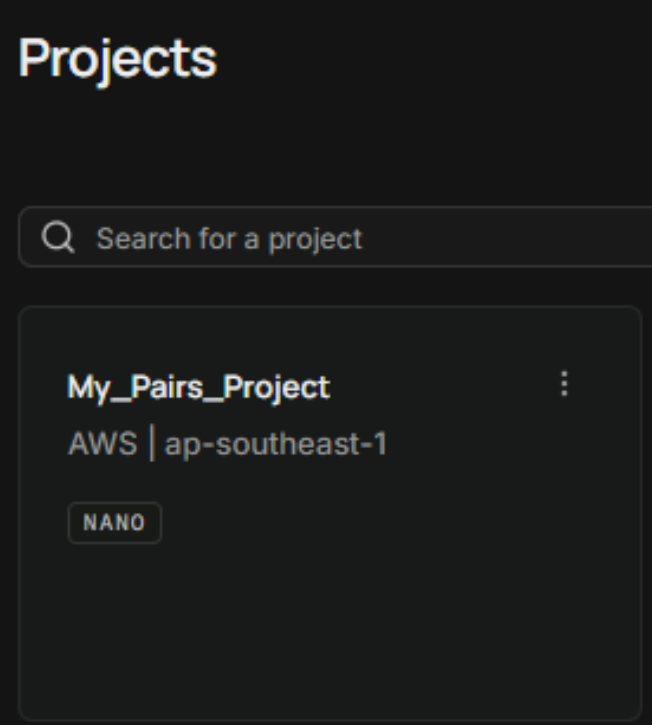
Log in to Supabase and look at your Projects page. Find the card for your project (here, My_Pairs_Project) and click into it.
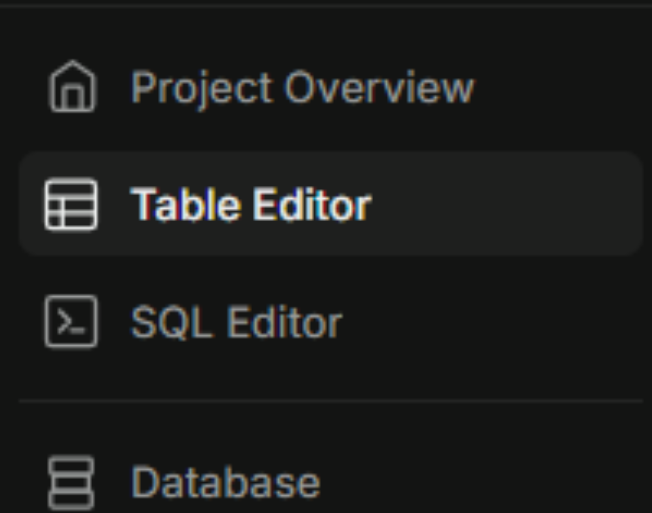
Inside your project, use the left sidebar to click Table Editor. This is where Supabase keeps everything about your data structure — the schema, tables, and rows your app writes to.
As a test, send your agent a message with some sample info (for example, a name and age). Check Table Editor for the row Supabase created in response — it should include fields like session_id, name, created_at, and any other fields your app sends.

If your table populates like this after testing your own app, your Supabase connection is working end to end: your app sent it, the agent processed it, and Supabase stored it.