




Table of Contents

|
Used for validating and extracting metadata from YouTube videos and playlists. |

|
Used for fetching additional YouTube data when yt-dlp was insufficient. |

|
Framework for creating the Telegram bot and handling conversations. |

|
Code formatter used to keep code style clean and consistent. |
- Support multiple YouTube URL formats, including:
- Standard video URLs
youtube.com/watch?v=...; - Shortened URLs
youtu.be/...; - Shorts URLs
youtube.com/shorts/...; - Playlist URLs
youtube.com/playlist?list=....
- Standard video URLs
- Allows the user to select specific videos to get data on from those available in a playlist.
- Enables the user to choose any combination of the following information to retrieve:
- For videos:
- Title;
- Duration;
- Views count;
- Likes count;
- Comments count;
- Upload date;
- Uploader;
- Description;
- Chapters;
- Thumbnail in best quality (sent as a Telegram photo).
- For playlists:
- Title;
- Description;
- Uploader;
- Hidden Videos;
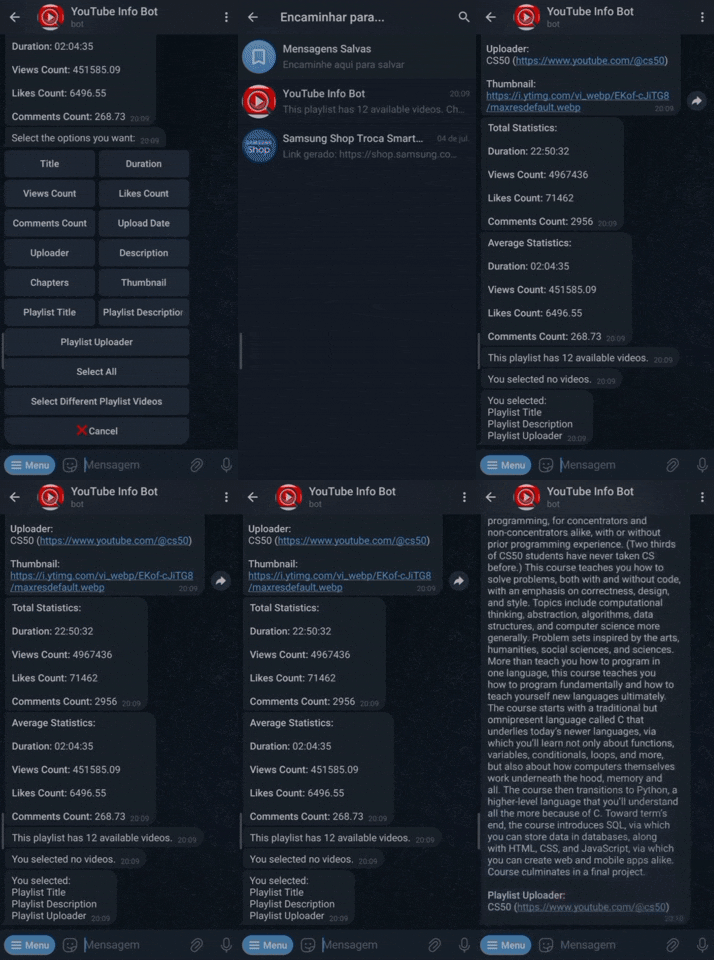
- Total and Average values (across selected videos) for:
- Duration, Views, Likes, and Comments Count.
- Title;
- For videos:
- After showing the selected information, the bot returns to the information selection menu, allowing the user to explore more data from the same URL without resending it.
- Provides specific commands to:
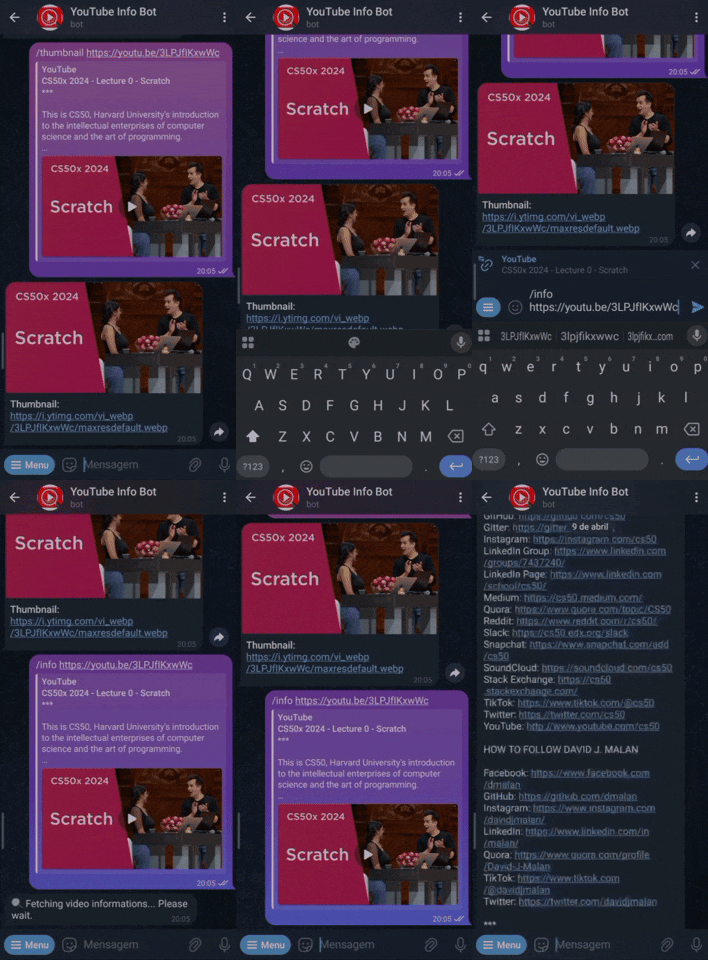
- Fetch all available information for a video or playlist.
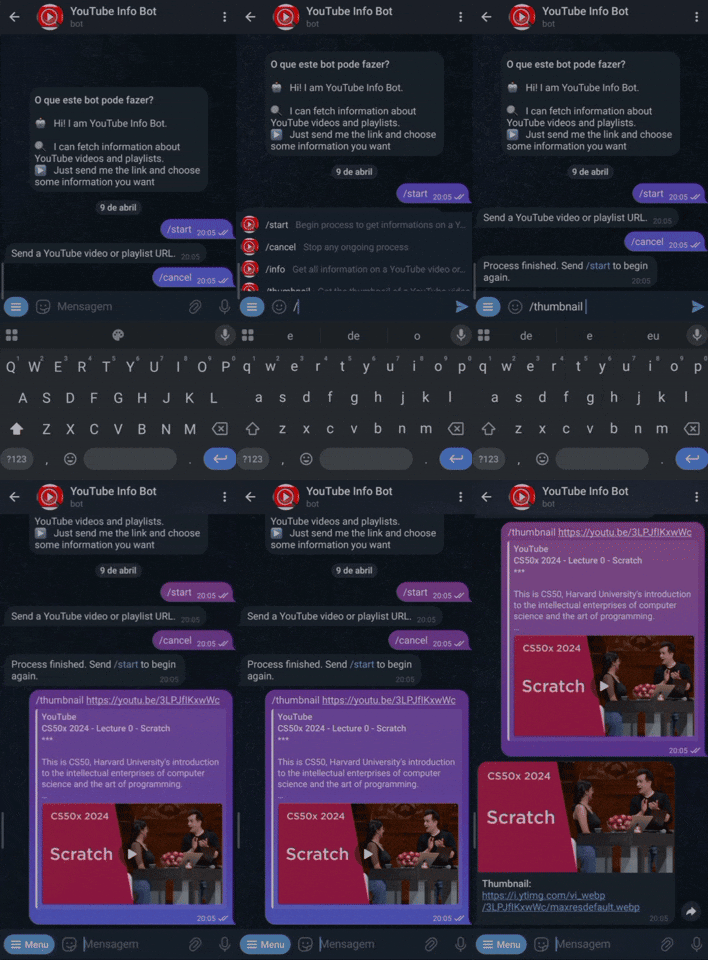
- Retrieve only the thumbnail of a video.
- The user can cancel any operation or end the conversation at any time.
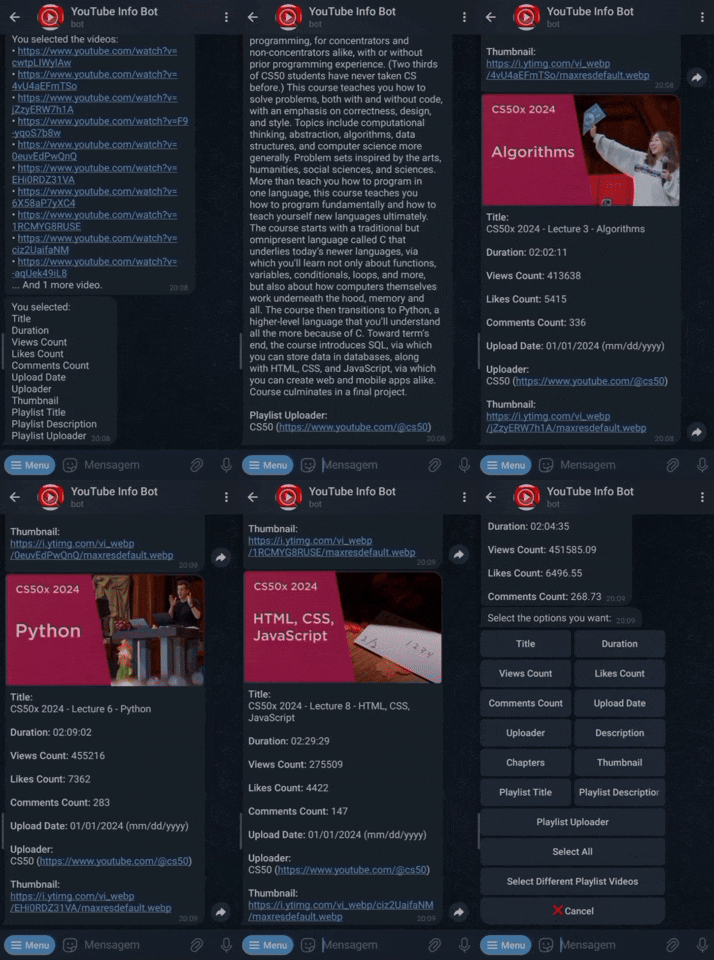
/help: Gives general instructions and information about the bot and how to use it./help_url: Provides informations about supported and valid YouTube URL formats./help_infos: Lists and clarifies the available information types the bot can fetch./help_commands: Describes the extra commands available beyond the main/start.
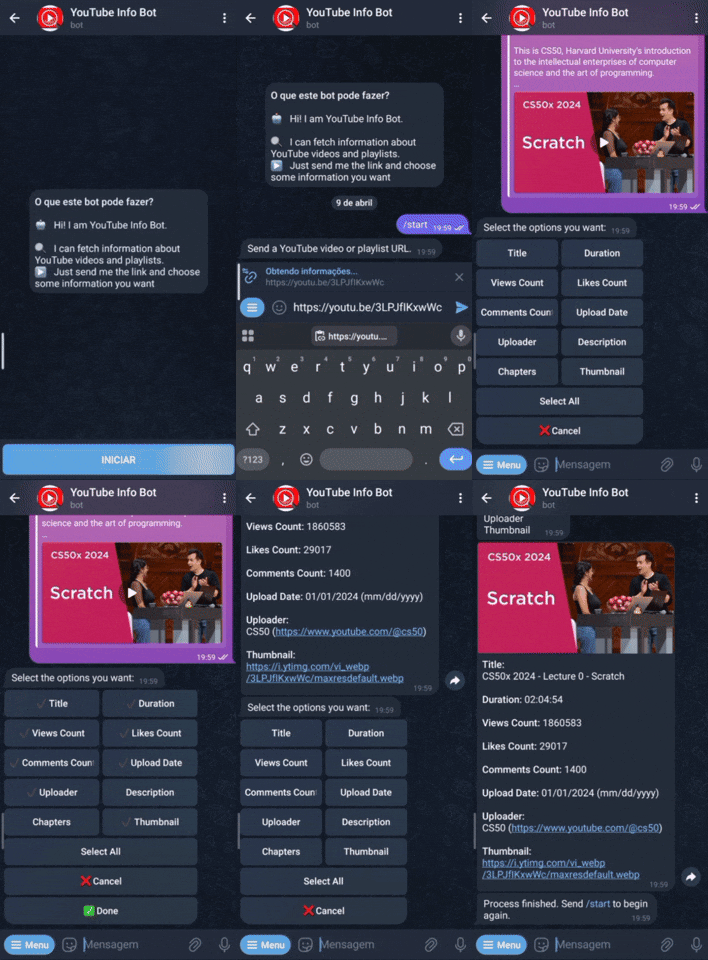
/start: Begins an interactive conversation with the user, consisting of the following steps:- Prompts the user to provide a Youtube video or playlist URL.
- If the URL is invalid, the bot prompts again.
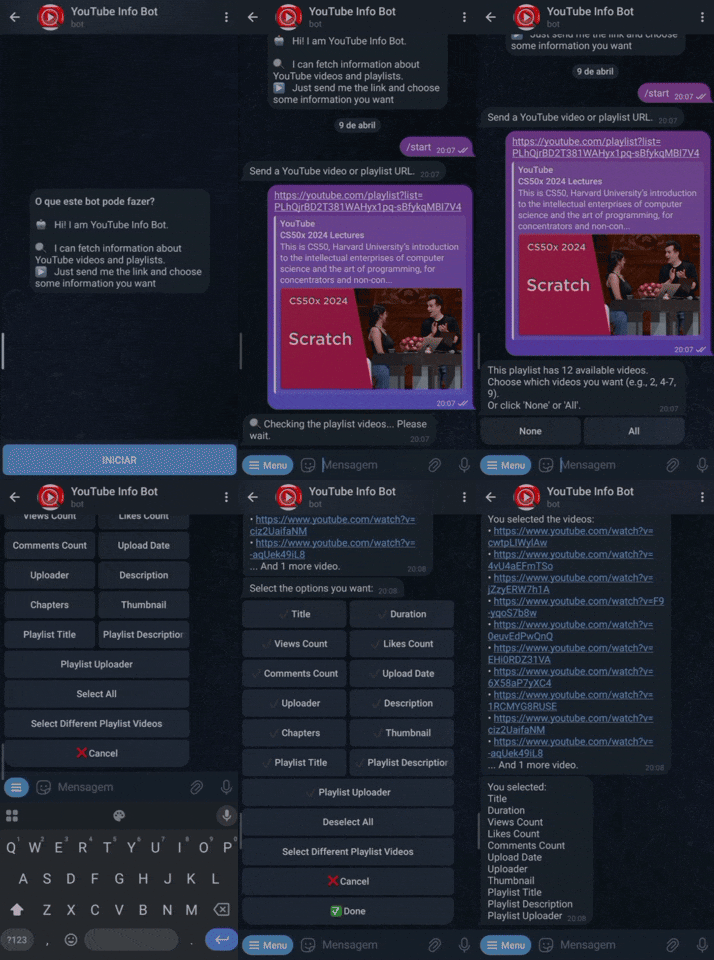
- If the URL is a playlist, prompts the user to choose specific videos (or select all/none).
- If the selection is invalid, the bot prompts again.
- Displays an information selection menu, including:
- Toggleable buttons for each available information option (depending on whether it’s a video or playlist);
- A
Select/Deselect Allbutton to toggle all information options; - If it's a playlist, a
Select Different Videosbutton to select other playlist videos; - A
Cancelbutton to finish the conversation; - A
Donebutton to confirm the selection.
- Once
Doneis selected, the bot sends the chosen information. - The menu is resent automatically, allowing the user to select more data until they cancel or start a new conversation.
- Prompts the user to provide a Youtube video or playlist URL.
/info <URL>: Validates the given YouTube video or playlist URL and returns all available information.- For playlists, this command fetches only the playlist-level information, not data for each video.
/thumbnail <URL>: Validates a YouTube video URL, retrieves its thumbnail, and sends it as a Telegram photo.
/cancel: Cancels the current conversation or any ongoing bot process at any time.
These are the instructions for running the bot locally.
ℹ️ The bot is already deployed and available on Telegram. Read the deployment documentation here.
- Python 3.9+
sudo apt install python3
- pip
sudo apt install python3-pip
-
Clone the repository
git clone https://github.com/iz00/youtube-telegram-bot.git cd youtube-telegram-bot -
(Optional) Create and activate a virtual environment
pip install virtualenv python3 -m venv .venv source .venv/bin/activate -
Install required packages
pip install -r requirements.txt
-
Get and set up the following configuration variables
BOT_TOKEN: Your Telegram bot token- Create a Telegram bot through @BotFather and get the token.
YOUTUBE_API_KEY: Your YouTube Data API key- Follow the official Getting Started and the Obtaining Authorization Credentials guides.
You can set these variables in two ways:
-
Using environment variables:
export BOT_TOKEN="your_bot_token_here"
export YOUTUBE_API_KEY="your_api_key_here"
Optionally, add these lines to your shell config file (e.g.,
.bashrcor.zshrc) to persist them. -
Hardcoding in
config.py:BOT_TOKEN = "your_bot_token_here" YOUTUBE_API_KEY = "your_api_key_here"
-
Run the bot
python3 bot.py
-
(Optional) Get a
cookies.txtfileIf
yt-dlpreturns an error likeSign in to confirm you’re not a bot., it may be solved by providing acookies.txtfile.- Follow the official yt-dlp guides on how to get cookies and how to get cookies that are not rotated.
- Place the
cookies.txtfile in the root directory of the project — the code is already set up to use it automatically.
If you still encounter issues, try updating
yt-dlp:pip install -U yt-dlp
- Allow simultaneous usage by multiple users;
- Improve playlist video selection flexibility:
- Allow selection video ranges like
-5(first five videos) or5-(from fifth to last videos).
- Allow selection video ranges like
- Support embedded YouTube URLs;
- Add download options:
- Video (e.g.,
.mp4); - Audio only (e.g.,
.mp3); - Allow users to select start and end timestamps for trimming;
- Handle large filesizes by sending download links, instead of direct Telegram uploads.
- Video (e.g.,
- Add feature to extract a frame from a video at a specific second;
- Fetch and display YouTube channel informations (e.g. name, subscriber count, total videos, etc);
- Add automated tests.
This project was initially created as the final project for CS50x. The goal was for it to be a learning experience, going through the full development cycle, from ideia to deployment, and to build a Telegram bot that would actually be usable.
- APIs and Frameworks Integration: I Learned how to work with tools like
yt-dlp,Youtube Data APIandpython-telegram-bot, and make them all function together; - Problem Solving: Some desired features didn't have straightforward or built-in support, so I had to come up with workarounds. For example, there was no API or framework method for filtering only valid videos in playlists, so the solution was manually validating each video and trying to optimize the process to reduce execution time;
- User-Centered Design: I focused on improving user experience, through validations, re-prompts, clear and consistent messages and prioritizing a guided conversation flow over relying solely on individual commands;
- Code Organization: I put effort into making the project more readable and maintainable, splitting logic into submodules and using naming and styling conventions. This part seemed way more necessary as the codebase grew and thinking on making future maintenance or collaboration easier.
- Asynchronous Programming: Since
python-telegram-botis async-based and the goal was to support multiple users interacting with the bot at the same time, it was necessary to handle asynchronous logic; - Performance Optimization: Some operations (like filtering only valid videos in playlists) were slow, so I had to work on optimizations to make the bot feel responsive;
- Handling Cancellations: Allowing users to cancel bot operations proved difficult, most likely due to the async nature of the bot and how some long-running tasks were executed;
- Deployment Issues: Deploying to a VPS introduced unexpected issues, for example,
yt-dlpbehaving differently than it did locally, requiring acookies.txtfile to work properly and frequent updates to avoid errors.