

Revision web asset filenames with cache busting content hash fingerprints



rev-web-assets updates the asset filenames of a website to contain a eight-digit hex hash. The command's console output includes a timestamp and formatting helpful in build systems.
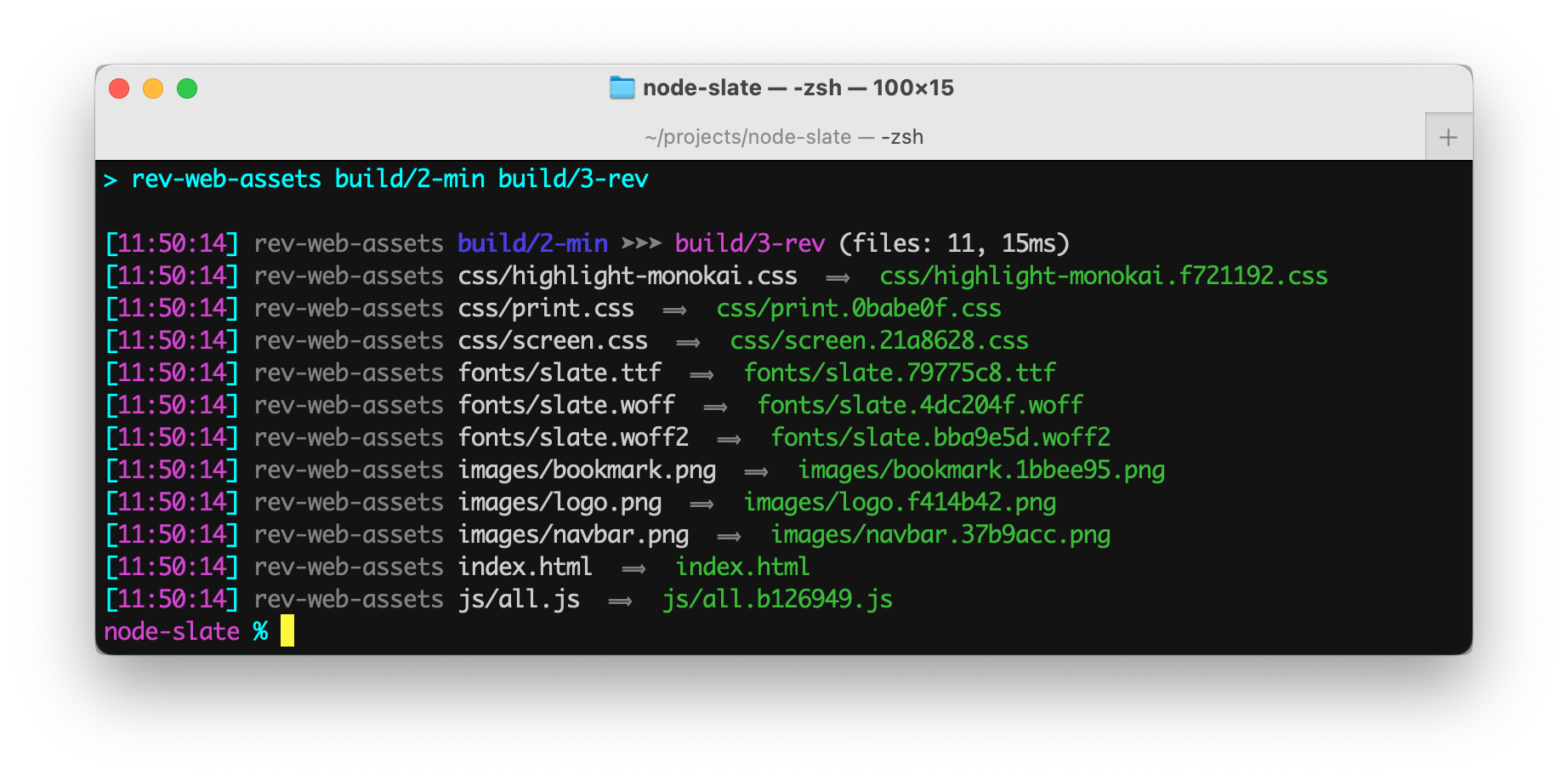
Install package for node:
$ npm install --save-dev rev-web-assetsrev-web-assets [SOURCE] [TARGET]
Parameters:
- The first parameter is the source folder.
- The second parameter is the target folder.
Run rev-web-assets from the "scripts" section of your package.json file.
Example package.json scripts:
   "scripts": {
      "revision": "rev-web-assets build/dev/web-app build/prod/web-app"
},Example terminal commands:
$ npm install --save-dev rev-web-assets
$ npx rev-web-assets build/dev/web-app build/prod/web-app
You can also install rev-web-assets globally (--global) and then run it anywhere directly from the terminal.
Command-line flags:
| Flag | Description | Value |
|---|---|---|
--cd |
Change working directory before starting. | string |
--force |
Revision (hash) all asset files even if not referenced. | N/A |
--hide404s |
Suppress warning messages about missing asset files. | N/A |
--manifest |
Output the list of files to: manifest.json | N/A |
--meta-content-base |
Make meta URLs, like "og:image", absolute. | string |
--note |
Place to add a comment only for humans. | string |
--quiet |
Suppress informational messages. | N/A |
--skip |
Do not revision (hash) asset files with paths containing given string. | string |
--summary |
Only print out the single line summary message. | N/A |
-
rev-web-assets web/source web/target
Revisions the files in the web/source folder and saves the new files to the web/target folder. -
rev-web-assets --cd=web source target
Identical to the previous example. -
rev-web-assets source target --quiet
Displays no output. -
rev-web-assets source target --summary
Displays the summary informaion but not informaion about individual filenames. -
rev-web-assets source 'target/Web Files' --summary
Save the target files to a folder that has a space in its name. -
rev-web-assets source target --meta-content-base=https://example.net
Prepends the base to<meta>URLs.
Note
Single quotes in commands are normalized so they work cross-platform and avoid the errors often encountered on Microsoft Windows.
URLs in <meta> tag content attributes generally need to be absolute URLs.
Setting the --meta-content-base flag to https://example.net will transform the line of HTML
from:
<meta property=og:image content="logo.png">into something like:
<meta property=og:image content="https://example.net/logo.ad41b20.png">The --manifest flag produces a JSON file containing an array objects with details about each file:
export type ManifestDetail = {
   origin:          string,          //source path of asset file
   filename:        string,          //source filename of asset file
   canonical:       string,          //normalized path used to lookup asset in manifest
   canonicalFolder: string,          //directory of the normalized path of the asset file
   isHtml:          boolean,         //asset file is HTML
   isCss:           boolean,         //asset file is CSS
   bytes:           number | null,   //asset file size
   hash:            string | null,   //eight-digit cache busting hex humber that changes if the asset changes
   hashedFilename:  string | null,   //filename of the asset with hash inserted before the file extension
   destFolder:      string,          //directory of the target asset
   destPath:        string | null,   //folder and filename of the target asset
   usedIn:          string[] | null, //files that references the asset
   references:      number | null,   //number of times the asset is referenced
   skipped:         boolean,         //asset file is configured to not be hashed
   };
Example:
   {
      "origin": "src/website/graphics/logo.png",
      "filename": "logo.png",
      "canonicalFolder": "graphics",
      "canonical": "graphics/logo.png",
      "bytes": 7203,
      "isHtml": false,
      "isCss": false,
      "hash": "ad42b203",
      "hashedFilename": "logo.ad42b203.png",
      "destFolder": "target/website/graphics",
      "destPath": "target/website/graphics/logo.ad42b203.png",
      "usedIn": [
         "index.html",
         "products/index.html",
         "style.css",
      ],
      "references": 7
},Even though rev-web-assets is primarily intended for build scripts, the package can be used programmatically in ESM and TypeScript projects.
Example:
import { revWebAssets } from 'rev-web-assets';

const options = { saveManifest: true };
const results = revWebAssets.revision('source', 'target', options);
console.info('Number of web files processed:', results.count);
See the TypeScript Declarations at the top of rev-web-assets.ts for documentation.
See the runScriptsConfig section of package.json for a clean way to organize build tasks:
- 🎋
add-dist-header— Prepend a one-line banner comment (with license notice) to distribution files - 📄
copy-file-util— Copy or rename a file with optional package version number - 📂
copy-folder-util— Recursively copy files from one folder to another folder - 🪺
recursive-exec— Run a command on each file in a folder and its subfolders - 🔍
replacer-util— Find and replace strings or template outputs in text files - 🔢
rev-web-assets— Revision web asset filenames with cache busting content hash fingerprints - 🚆
run-scripts-util— Organize npm package.json scripts into groups of easy-to-manage commands - 🚦
w3c-html-validator— Check the markup validity of HTML files using the W3C validator