A lazy-loading MCP proxy that keeps your agent's context window small. It sits in front of all your MCP servers and exposes their tool schemas only when they're actually needed — turning dozens of always-on tool definitions into a tiny, fixed facade.


Every MCP server you connect dumps all of its tool schemas into your model's context at session start — before you've typed a single word. Run a few servers (GitHub alone exposes ~70 tools) and people routinely report tens of thousands of tokens, sometimes a large chunk of the whole window, consumed by tool definitions the agent may never use. More servers = less room to actually think.
There's no built-in fix: the agent needs to know a tool exists to use it, so harnesses list them all, eagerly.
mcp-lean is a meta-proxy. Your MCP client connects to mcp-lean instead of to your servers; mcp-lean connects to the servers on your behalf. To the client it exposes just 5 small meta-tools:
| tool | what it does |
|---|---|
search_tools |
find upstream tools by keyword — returns one-liners, not schemas |
list_tools |
browse everything available (optionally per server) |
load_tools |
activate the tools you need — they become first-class, with full schemas |
unload_tools |
deactivate tools to reclaim context |
describe_tool |
inspect one tool's schema without activating it |
The agent searches, loads what it needs, and only those schemas ever enter the context. Everything else stays a single line away.
            BEFORE                                   AFTER (mcp-lean)
 ┌───────────────────────────┐            ┌───────────────────────────┐
 │ context window            │            │ context window            │
 │ ┌───────────────────────┐ │            │ ┌───────┐                 │
 │ │ 70 github tool schemas│ │            │ │ 5     │  ← fixed facade  │
 │ │ 14 fs tool schemas    │ │            │ │ facade│                 │
 │ │ 20 toolbox schemas    │ │   ──►      │ │ tools │   + only the    │
 │ │ ...                   │ │            │ └───────┘     2–3 tools    │
 │ │ (room left: a little) │ │            │              you loaded   │
 │ └───────────────────────┘ │            │  (room left: most of it)  │
 └───────────────────────────┘            └───────────────────────────┘
1. Point your MCP client at the proxy instead of the raw servers — e.g. in
.mcp.json (Claude Code) or your client's MCP config:
{
  "mcpServers": {
    "lean": { "command": "npx", "args": ["-y", "mcp-lean"] }
  }
}
2. Tell mcp-lean which servers to proxy, then see how much context you reclaimed:
# imports an existing .mcp.json / claude_desktop_config.json if present
npx mcp-lean init

# connect to the upstreams and print the token savings
npx mcp-lean audit
That's it. Your agent now sees search_tools / load_tools instead of a wall of
schemas, and pulls in tools on demand.
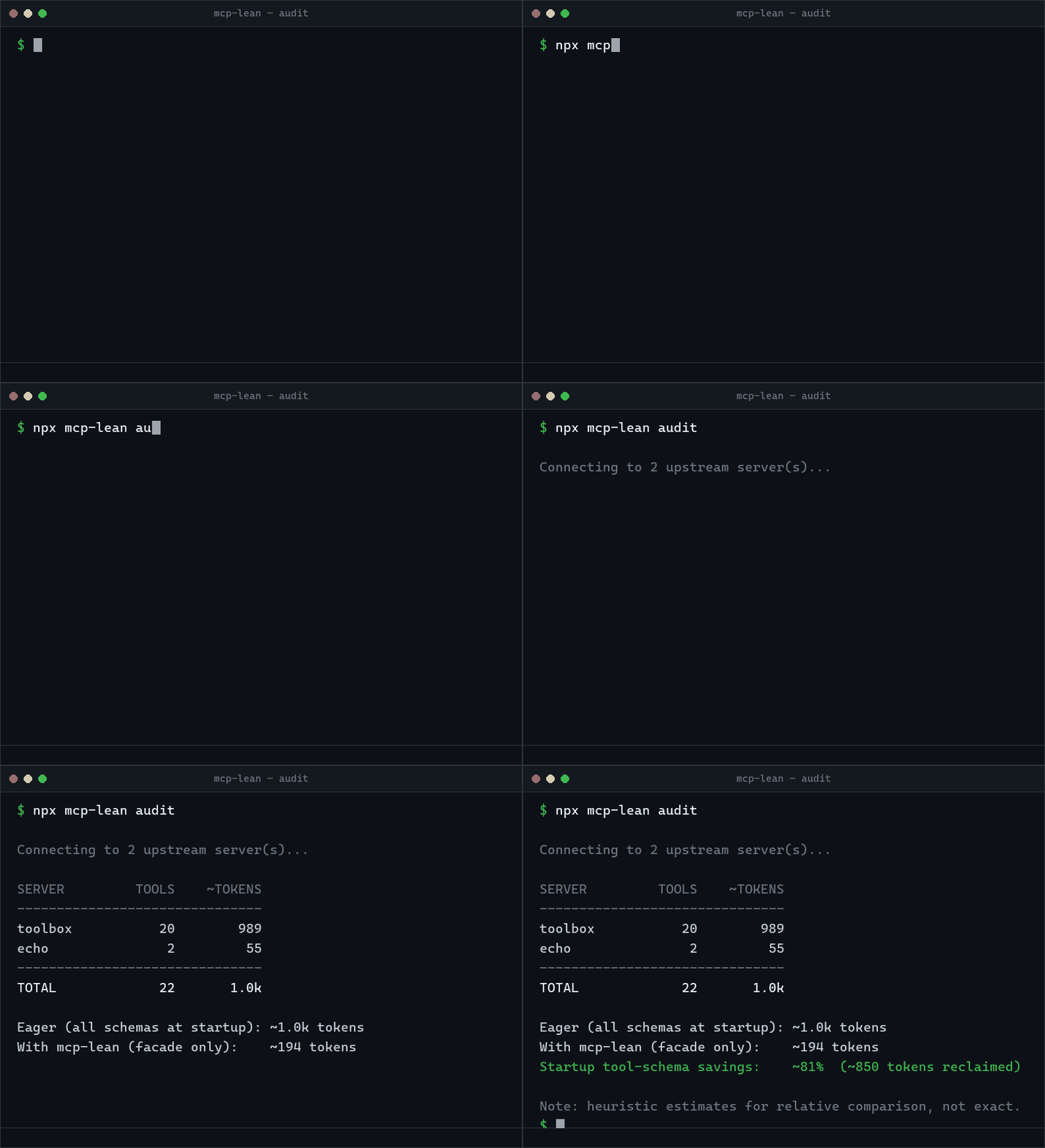
Run it against the bundled example (20-tool "toolbox" + tiny echo server):
$ npx mcp-lean audit --config examples/mcp-lean.config.json

SERVER         TOOLS    ~TOKENS
-------------------------------
toolbox           20        989
echo               2         55
-------------------------------
TOTAL             22       1.0k

Eager (all schemas at startup): ~1.0k tokens
With mcp-lean (facade only):    ~194 tokens
Startup tool-schema savings:    ~81%  (~850 tokens reclaimed)

Note: token counts are heuristic estimates for relative comparison, not exact.
The facade is a fixed cost (~200 tokens) no matter how many servers you add — so
the more tools you have, the bigger the win. With a real stack (GitHub + filesystem +
a few others) the eager column is tens of thousands of tokens and the savings climb
past 95%. Run audit on your config to see your number; it's honest about small
setups too (if your toolset is smaller than the facade, it'll tell you not to bother).
- Tier 1 — discover. mcp-lean advertises just the 5 facade tools, immediately.
Upstream catalogs (name + one-line description per tool) come from an on-disk
cache, so once it's warm, discovery needs no connections and servers aren't spawned
until a tool is loaded or called. The first run (or
mcp-lean refresh) builds the cache by briefly connecting to each server in the background, never blocking the facade. - Tier 2 — load. When the agent calls
load_tools(["github/create_pull_request"]), mcp-lean hydrates that tool's full schema, registers it as a real tool namedgithub__create_pull_request, and emitstools/list_changed. - Tier 3 — call. The agent calls the now-first-class tool with its real arguments; mcp-lean routes the call to the upstream server and proxies the result straight back.
Tools can be unload_tools'd to free the context again. Clients that don't refetch
on list_changed still work: load_tools returns the schema as text, and any
server__tool can be called directly without a prior load.
mcp-lean.config.json (created by mcp-lean init):
{
  "mcpServers": {
    "github":     { "command": "npx", "args": ["-y", "@modelcontextprotocol/server-github"], "env": { "GITHUB_TOKEN": "..." } },
    "filesystem": { "command": "npx", "args": ["-y", "@modelcontextprotocol/server-filesystem", "/work"] },
    "docs":       { "url": "https://example.com/mcp", "headers": { "Authorization": "Bearer ..." } }
  },
  "profiles": {
    "all": ["*"],
    "web": ["github", "docs"]
  },
  "autoLoad": ["filesystem/read_file"]
}mcpServers— the same shape as.mcp.json/claude_desktop_config.json. Supports stdio (command/args/env/cwd) and HTTP/SSE (url/headers).profiles— named allow-lists of servers.--profile webproxies only those."*"means all. Great for scoping a project to just the servers it needs.autoLoad— tools to activate eagerly at startup ("server/tool"or"server/*"). Everything else stays lazy. Defaults to none.
If no mcp-lean.config.json exists, mcp-lean falls back to reading a .mcp.json or
claude_desktop_config.json in the working directory (it skips any entry that points
back at mcp-lean, so it never proxies itself).
mcp-lean [serve]     Run the proxy over stdio (what your MCP client launches).
mcp-lean audit       Connect to upstreams and report the token savings.
mcp-lean init        Create mcp-lean.config.json (imports .mcp.json / claude_desktop_config.json).
mcp-lean refresh     Re-fetch upstream catalogs into the on-disk cache.

  -c, --config <path>    Config file (default: mcp-lean.config.json / .mcp.json).
  -p, --profile <name>   Only proxy servers in this profile.
      --cwd <dir>        Directory to resolve config/cache from.
  -f, --force            Overwrite existing files (init).
  -h, --help             Show help.
  -v, --version          Show version.
Does my client need to support dynamic tool lists?
It helps but isn't required. mcp-lean declares the listChanged capability and
notifies on every load/unload. Clients that don't refetch can still use loaded tools:
load_tools returns the full schema in its response, and server__tool names are
callable directly.
Does it spawn every server at startup?
Not to serve requests — the facade comes up immediately. Discovery is served from an
on-disk catalog cache, so once it's warm no connection is needed, and a server process
is only (re)spawned when one of its tools is loaded or called. Building the cache the
first time (or via mcp-lean refresh) does briefly connect to each server, but in
the background, so it never delays the proxy. The cache auto-refreshes when a
server's launch config (command/args/url/cwd/env/headers) changes.
Are the token numbers exact? They're heuristic estimates (no native tokenizer dependency, to keep the install tiny) meant for relative comparison — typically within ~10–15% of a real BPE tokenizer for JSON tool schemas.
Is it secure / trustworthy?
mcp-lean is a thin pass-through: it forwards calls to the servers you configured and
returns their results unchanged. It adds no network calls of its own and stores only a
local catalog cache. Read src/ — it's a few small files.
npm install
npm run typecheck    # tsc --noEmit
npm test             # vitest (incl. an end-to-end proxy test over a real stdio server)
npm run build        # tsup -> dist/
node scripts/smoke.mjs # spawn the built binary and exercise it over stdio- Per-tool token budgeting and an LRU that auto-unloads cold tools.
- Optional exact tokenizer (
--accurate) for the audit. - Resource & prompt proxying (currently tools only).
- A one-command Claude Code plugin wrapper.
MIT © Andres Lee