Important
🔴 Test coverage notice
This project has currently completed end-to-end real-world testing only for Kimi For Coding and Xiaomi MiMo (Token Plan).
Other built-in chat-completions-compatible providers (including DeepSeek, Kimi (Moonshot Platform), Xiaomi MiMo (Pay for Token), Zhipu GLM, Zhipu GLM Coding, GLM (Z.ai) (zai-login), GLM (BigModel) (bigmodel-login), Aliyun Bailian (API Key / Token Plan), MiniMax, OpenCode Go, WorkBuddy (Tencent CodeBuddy; model picker shows Credit discount multipliers), QoderWork CN (Alibaba Qoder; model picker shows Credit discount multipliers)) have not undergone long-term real-world regression — they sit at unit-test + occasional user-report level only.
If you'd be willing to provide an API key from another provider for testing, it would be deeply appreciated! Reach out via QQ: 3216202644 or email — the author guarantees the API key will only be used for actual testing of this project.
简体中文 | English | Changelog | Code Graph





Codex App Transfer is a lightweight desktop config + forwarding tool for the OpenAI Codex App. It runs a local gateway that translates Codex App's Responses API requests (HTTP streaming / non-streaming + /responses) into Chat Completions and other upstream formats, then forwards them to your chosen provider. The desktop UI manages providers, model mappings, the forwarding port, and the logs panel, letting Codex App talk to any third-party chat/completions inference service.
After starting forwarding, Codex App talks to this tool at 127.0.0.1:18080. Closing the window minimizes the app to the system tray; right-click the tray icon and choose "Exit" to fully quit.
Current version v2.4.4 (see Changelog and Releases).
Lots of screenshots — all collapsed into the groups below (click to expand; GitHub Markdown has no tabs, so collapsible groups stand in for a unified showcase).
Main UI — Dashboard / Providers / Settings / Logs
| Dashboard | Providers |
|---|---|
 |
 |
| Settings | Logs |
 |
 |
Codex App in action
With any provider enabled, Codex App's model picker shows <provider> / <real-model>-style real model names. Tool loops / previous_response_id history replay / thinking-mode reasoning_content injection are all handled transparently by the local proxy:

Codex Desktop background themes (optional, 11 anime themes)
Inject background image + frosted-glass panel CSS into Codex Desktop (the Electron client). Five built-in anime themes plus user upload. The Codex binary is not modified — runtime injection via Chromium DevTools Protocol. The toggle is a persistent preference marker: enabling it persists the setting and injects immediately (best-effort); if Codex wasn't launched via this tool (or its debug port is unavailable), a confirm dialog offers to restart Codex so the theme takes effect. Disabling it clears the saved preference and best-effort live-removes the injected theme via CDP (back to native UI), symmetric with enabling — likewise, if the debug port is unavailable the removal fails and the theme stays until the next Codex restart.
| Changli | Azur Lane |
|---|---|
 |
 |
| Nailin | Zani |
 |
 |
A sixth theme (Carton) carries a floating mascot in the bottom-right that reacts to the cursor. Custom backgrounds: Theme page → "+ Add custom" → pick a JPG/PNG → 16:9 crop modal (drag + scroll to zoom) → apply. If the toggle is on at Codex launch, the selected theme auto-injects — no manual step needed.
Usage panel inside Codex (optional)
Injects a standalone "Usage" section at the bottom of Codex Desktop's "Toggle pinned summary" popup: 5-hour / weekly / monthly plan quota bars (whitelisted providers: antigravity gemini series + GLM Coding Plan + Xiaomi MiMo Token Plan + OpenCode Go + Kimi Code), balance / usage numeric entries (DeepSeek / Kimi Moonshot / anyrouter), context usage, real-time token rate + cumulative total, and cache hit rate. The Context row expands into a Claude-style by-source breakdown dropdown (classified by what is sent upstream: tool calls & output / reasoning / developer instructions / conversation messages / tool definitions / system prompt), persisted per conversation for instant load. See "What it does" below.

Codex draft stash (optional)
Stash/restore buttons next to the composer + a "Stash" list below the Usage panel: park pre-typed text + images to free up the box for a reply, then selectively restore to the composer or send directly (with multiple entries, restore opens a picker).
| Stash panel (with images) | Quick-restore dropdown |
|---|---|
 |
 |
- Manage multiple providers; map OpenAI model names (
gpt-5.5/gpt-5.4/gpt-5.4-mini/gpt-5.3-codex/gpt-5.2) to the provider's real model IDs - Translate Codex App's Responses API streaming / non-streaming requests into upstream protocols: Chat Completions, Gemini Native (
:streamGenerateContent), Gemini CLI OAuth (Cloud Code Assist), Anthropic Messages (/v1/messages), Grok Web (/rest/app-chat/conversations/new), Responses passthrough, etc. - Multi-turn tool conversation context +
previous_response_idhistory replay + autocompact expansion + thinking / reasoning_content injection — all aligned with the OpenAI Responses API protocol; remote compact supported on both protocol generations: the legacy/responses/compactendpoint plus remote compaction v2 (a regular streaming/responsesrequest carrying acompaction_triggermarker, answered with an SSE stream containing a single compaction item) — newer Codex builds previously failed autocompact withexpected exactly one compaction output item, now fixed (MOC-198) - Reasoning (thinking) blocks display correctly in current Codex Desktop: reasoning streams on the summary channel (
reasoning_summary_text.delta— verified against official gpt-5.5 wire @ v26.623, which is summary-only); MOC-203 originally dual-emitted a content channel for compatibility, but dual emission made Codex update the same thinking block twice per token and flicker during streaming, so it has been consolidated back to the single channel (MOC-293). Chat path also fixes interleaving of reasoning and tool_call stream events (reasoning is closed before opening a new tool item); gemini path fixes tool-call grouping (functionCall-following empty text parts no longer produce a blank message item, so same-turn tools fold correctly) (MOC-203) - Automatic turn collapse after task completion (matches official GPT behavior, MOC-293 / MOC-295): for providers that go through the Chat Completions conversion (e.g. GLM / Kimi / DeepSeek / WorkBuddy), the whole working process of a turn (thinking + tool calls + preamble messages) collapses into a "Worked for Ns" divider once the final answer arrives, leaving only the final reply expanded — same as with an official ChatGPT account. Implementation: all three conversion paths (chat / gemini_native / anthropic_messages) add the official wire's top-level
phasefield to assistant message items (tool-round preambles →commentary, grouped into the collapsed process area; the final answer →final_answer, expanded); streamingoutput_item.addedalways carries a provisionalcommentary, and the messageoutput_item.doneis deferred to the terminal side (once stop_reason / has_seen_tool_calls is known) where it emits with the authoritative phase — on the chat path the message closes only at stream end (naturally authoritative), while gemini / anthropic paths determine phase at emit_terminal / emit_completed using the terminal signal (anthropicfinal_stop_reason/ geminihas_seen_tool_calls), ensuring the collapse fires exactly once at the true final answer with no mid-task jitter. Note: the final answer streams in the process area and is promoted when it completes (third-party models cannot pre-declare a message channel the way GPT does). grok_web and Responses passthrough do not go through this conversion and are unaffected - Codex App's freeform
apply_patchtool (edit-file +/- diff UI) works on chat-completions providers: the adapter bridges Responsescustom_tool_call↔ chatfunction_callwire forms, the model emits V4A-format patches, Codex App renders the diff (issue #235); Gemini-family providers (gemini_native + Cloud Code Assist / Antigravity, using generateContent) now have the same bridge via MOC-75: on the request side, freeformcustomtools are downgraded to a function with aninputstring parameter (V4A description reuses the chat constants); on the response side, Gemini'sfunctionCallis repacked into acustom_tool_callwire - apply_patch middle layer (format recovery): third-party chat models lack GPT's lark-grammar-constrained generation, so they often emit malformed V4A (double-sided
@@, missing+on Add File lines, byte-mismatched context, missing*** Begin/End Patchenvelope, dropped blank lines, missing line prefixes, multiple discontiguous hunks dropping the@@separator, etc.). The middle layer recovers each known error to valid format before sending to Codex — reading the file from disk to align@@anchors / context to real bytes, restoring dropped blank lines, converting empty-file / rename-only intoDelete+Add, auto-segmenting a multi-region edit that omits@@by the hunks' real file positions and inserting bare@@(MOC-263 P0: only when uniquely segmentable; ambiguous floating+placement passes through), etc.; non-destructive (never loses content or overwrites) and passes unknown cases through untouched (let Codex error so the model self-corrects, never guesses). The disk-read cwd is resolved from the most recent few cwd candidates rather than a single global value, so the fallback no longer breaks under concurrent multi-session traffic where another project's cwd would clobber it (MOC-263 P1). For the common case where the model mis-prefixes the terminator (+*** End Patch, a slip when+-prefixing every Add File line) and leaves a stray*** End Patchline in the created file: the root fix is in the injected guidance (teach the model not to prefix the terminator); the middle layer, on encountering such a prefixed terminator, disambiguates by file type — for code / structured-config files (where a bare*** End Patchline can never be valid source) it strips the prefix to a bare terminator; for doc / text / unknown types, where that line could legitimately be real last-line content, it does NOT guess (neither strips, which could delete content, nor appends, which would leave residue) and leaves the patch incomplete so the model re-issues per the guidance. The chat-path apply_patch guidance is optimized alongside (context lines must already exist / don't re-delete already-removed lines in sequential edits / dedicated guidance for memory files) (MOC-268). It mirrors the V4A lark grammar Codex constrains GPT with, enforced post-hoc on the chat path (credit to openai/codex's apply_patch lark grammar) (MOC-194 / MOC-263 / MOC-268) - Native image generation on Antigravity (MOC-210): Codex's built-in
image_gentool now actually generates images on the Antigravity provider (native, not the CLI fallback). When the model callsimage_genmid-conversation, the proxy intercepts the call in the Gemini response stream, issues an image sub-request (defaults togemini-3.1-flash-image, overridable via thegpt-image-1model slot in the provider config), and inlines the returned image as animage_generation_callback to Codex for rendering; text/reasoning still stream live, and the image turn is recorded in history to avoid duplicate generations. The tool is exposed only to Antigravity (other providers have no image backend). - When Gemini-family providers (gemini_native + Cloud Code Assist / Antigravity) return an upstream 4xx/5xx, the proxy translates it into a Codex-recognizable
response.failedwhoseerror.codeis aligned to Codex's retry whitelist: unambiguously-permanent errors (400 INVALID_ARGUMENT / 401 auth / 403 permission) surface to the user and stop immediately (so you can switch models), instead of Codex re-sending the same request and deadlocking; transient-or-uncertain errors (timeout / rate-limit / quota / 5xx) keep retry semantics (exponential backoff; truly-unrecoverable ones surface after the retry cap) (MOC-79) - Grok Web upstream 4xx/5xx are now similarly aligned to Codex's retry whitelist: 401 auth / 403 permission →
invalid_prompt(permanent, Codex surfaces and stops), no longer deadlocking on repeated retries; transient errors (timeout / rate_limited / server_error) keep retry semantics (MOC-90) - Chat-completions-compatible providers (DeepSeek / Kimi / MiMo / GLM / Aliyun Bailian / MiniMax, etc.) now receive the same treatment: previously the proxy forwarded upstream HTTP error status + JSON error body as-is, leaving Codex App stuck in "Thinking" indefinitely (no error shown, no retry, conversation blocked). The response is now rewritten into a well-formed
response.failedstream — 400 bad request / 401 auth / 403 permission →invalid_prompt(permanent, surfaces and stops); 429 transient (per-minute) rate-limit / 5xx / timeout keep retry semantics; 429 quota / usage-window exhaustion (conservative strong-signal detection, e.g. GLM "usage limit reached for the N-hour window, resets at …") is treated as permanent → fail-fast, surfacing the upstream quota message (with reset time) and stopping instead of endlessly "Reconnecting" (also eliminating the reconnect-triggered "proxy adapter error" noise) — sharing thecodex_retry_codewhitelist with grok and gemini paths (MOC-103 / MOC-264) - Two-layer session history persistence: L1 in-memory LRU + L2 sqlite (
~/.codex-app-transfer/sessions.db), preserving history across.apprestarts. L2 uses sha256 content-addressed deduplication (images externalized to blob sidecars + full message deduplication, shared snapshots stored only once — measured ~97% message body reduction), keeping the store tiny and enabling no-expiry persistence (the old 30-day TTL has been removed; old conversations stay resumable forever); legacy pre-MOC-142/168 rows are silently migrated in the background on first launch (MOC-142 / MOC-168 / MOC-170) - Import / restore isolated sessions left by other tools (CAT-255): Codex Desktop filters its conversation list by the active
model_provider. Tools like cc-switch write a third-partymodel_providerintoconfig.toml, so the sessions they left behind are hidden under transfer's view (this project deliberately never writesmodel_provider, anchoring onopenaito stay interoperable with the official app). Settings → Advanced → Session history adds Import (re-tags third-party sessions toopenaiin place so they reappear in transfer) and Restore (writes a chosen third-partymodel_providerback onto selected sessions so the corresponding tool can see them again — the inverse of import); transfer also prompts to import on startup when it detects isolated sessions. Both must close Codex first (they write Codex's exclusive session-state DBstate_<N>.sqlite), then auto close → rewrite in place → restart Codex - Wire-level dedup of repeated system blocks (MOC-193): Codex sends a full env block (~37 KB) with every turn; long conversations accumulate multiple identical system/developer instruction messages. The conversion pipeline automatically deduplicates identical blocks after history merge and before forwarding upstream (keeping the first occurrence to preserve the prompt-cache prefix), covering all four paths (chat / gemini / anthropic / grok) and saving tens of KB per turn in long sessions; the session cache is kept intact
- Usage stats (Sidebar → Usage): parses
~/.codex/sessions/rollout JSONL, aggregating token usage by conversation / day / model (parser vendored from ryoppippi/ccusage). The by-conversation view shows each conversation's cache hit rate; clicking the number opens a per-prompt hit-rate histogram (cached contained within total, two-tone; hover for cached / total input / output). The proxy locally recordssession → real upstream model(for conversations run after this version), so the by-conversation model column shows the real upstream model instead of Codex's client placeholder (gpt-5.x) - Real ChatGPT account Plugins unlock (relay mode, v2.2.0): unlock Codex Plugins with a real account instead of a CDP-spoofed login — invoke official
codex loginin-app (account switching is unified under the three-mode plugin-unlock selector below, MOC-257). Relay keepsauth_mode=chatgpt+ tokens so Codex shows the Plugins entry natively, removing the CDP-spoof startup latency; third-party models go through the proxy viaopenai_base_url, while account / plugin backend requests pass through to the real chatgpt.com viachatgpt_base_url. Transfer never refreshes the single-use refresh token (double-refreshing alongside the local Codex would triprefresh_token_reusedand burn the account); refresh belongs to the source only (local Codex self-refreshes /codex loginfetches fresh). Paired system-proxy reachability check: a "Network Proxy" dashboard card + an unlock gate (unlocks only when the account is valid AND the system proxy is reachable, otherwise guides you to start the proxy / log in / force-enable); the probe only connects to the proxy port and never touches chatgpt.com. Also: under relay, transfer doesn't refresh the token (relying on the source to keep it fresh), but a server-side revocation (double-refresh burn / re-login elsewhere) is invisible to the local JWTexp→ previously the UI would falsely show the account as fine because the local token hadn't expired; now the proxy passthrough detects a chatgpt-backend 401 and writes back a "re-login required" state so the UI prompts re-login promptly (MOC-104 / MOC-114 / MOC-124) - Codex plugin-unlock three modes (MOC-257): an Off / Synthetic / Real selector in Settings that unifies and replaces the old CDP injection (which only changed the renderer UI while
auth.jsonstayed apikey → an inconsistent transport where plugins didn't actually work). Synthetic: with no real ChatGPT account, write a well-formed syntheticauth.json(auth_mode=chatgpt+ a synthetic JWT with a far-futureexpto keep the CLI from refreshing, plus acas_syntheticsentinel) so Codex shows Plugins natively; the proxy fabricates 200 responses for the/backend-api/*account/plugin requests (never 401, which would trigger Codex re-login), while conversations still go through your third-party provider (the resolver only validates the JWT shape, not the signature). Real: relay the machine's ChatGPT login through to the real chatgpt.com; an unusable account (expired / server-revoked) auto-degrades to synthetic (and auto-upgrades back once usable again), and with no account a dialog guides you throughcodex login. Off: move the real account out to a backup and ensure~/.codexhas noauth.json, restoring the original config on exit (real-account tokens stay intact across every switch) - Plugin marketplace + Plugins enhancements (MOC-7): browse a mirror of OpenAI Codex's plugin directory by category under
Docs → MCP → Marketplace(178 connectors + search + icons + website links); data comes from a project-maintained public storage repo (codex-app-transfer-storage; the backend fetches the registry overraw.githubusercontent.com, proxies icons + caches); multi-source aggregation — an official source plus your own public connector registries via "Add source" (same{connectors}schema). Browse-only: these are OpenAI-platform OAuth remote connectors brokered by a singleplugin-runtimeMCP server (chatgpt.com/backend-api/ps/mcp) with no standalone MCP endpoint, so the mirror holds display data only. Also:Docs → MCP → Pluginsnow shows an icon (read from the manifestinterface.logo) per installed plugin + a "Skills" button (popup shows itsSKILL.md; a dropdown picks one when a plugin has multiple skills) - Codex remote-control WS passthrough (relay mode, MOC-125): Codex desktop "remote control" (Mobile→Mac) opens a WebSocket handshake at
wham/remote/control/server; under relay, transfer previously forwarded it as plain HTTP without a WS upgrade → chatgpt.com returned 404 → remote control never established and Codexenroll-looped forever. Now does true WS passthrough: the receiving side accepts Codex's WS upgrade via axum, the upstream side opens a dedicatedhttp1_onlyclient (WS upgrade needs HTTP/1.1, whereasstate.httpALPN-negotiates h2) towss://chatgpt.com, injects Codex'sx-codex-installation-id/x-codex-server-id/authorizationand other remote-control-required headers, then bidirectionally pumps frames. The normal-forwardstate.http(reqwest 0.12) is left completely untouched — the WS path uses a separate reqwest 0.13 client, so existing upstream CF/ClientHello fingerprints don't change at all - Codex App config guardrails: snapshots
~/.codex/{config.toml,auth.json}before apply; restores via per-key smart merge on exit / next start; force-kill self-heal: if transfer is killed (kill -9 / crash) before it can restore, the next launch detects the previous session's leftover snapshot and replays the missed restore (previously this leftsandbox_mode/ a dead-proxyopenai_base_urlbehind, making GPT-account Codex report "couldn't set up the admin sandbox" and fail to chat); snapshots also filter residual signature fields at capture time so polluted configs never harden into the restore baseline; Portable MCP auth vault (on by default): switches MCP OAuth credential storage to a portable file (~/.codex/.credentials.json, mode 0o600) and keeps a mirror outside~/.codex(~/.codex-app-transfer/mcp-credentials.json); when the whole file is wiped by an account switch / accidental delete / new machine, the next launch pops a dialog listing each recoverable MCP authorization to restore / remove / ignore individually (multi-select + select-all / restore-all / remove-all / ignore-all; un-handled and ignored entries persist and keep prompting on the next launch — backups are never silently dropped; a Settings entry + pending status are also provided); an intentional per-server logout is respected, never resurrected; note: does not fix natural OAuth expiry; also provides an original-config integrity check in Settings: scans~/.codex/config.tomland historical snapshots for fields written by transfer apply (model_catalog_json/openai_base_url, etc.), with Show residual fields (read-only listing of each file's residual fields to be cleaned) and Targeted cleanup (precisely strips them while preserving model / personality /[projects.*]/ mcp_servers and other config) - Codex Doc Management (Sidebar → Codex) — Agents / Memories / Skills documents pop a confirmation before Apply writes to disk, guarding against accidental edits to AI-behavior-affecting docs (MOC-106):
- Agents: raw read/write for non-sensitive
AGENTS.mdpaths under HOME with file system picker; system and credential directories are rejected, with project-root / subdir chip labels from.git/detection - Memories: fixed entries
~/.codex/memories/MEMORY.md(main index) +memory_summary.md(auto summary), plus non-sensitive projectMEMORY.mdpaths under HOME; system and credential directories are rejected - Skills: scan
~/.codex/skills/<name>/SKILL.mdfor raw editing and keep hash resolution inside the skills root; "Open folder" button shells out toopenso users edit non-SKILL.md companion files (scripts / examples / templates) in Finder/Explorer - MCP: structured JSON editing on the
[mcp_servers.*]section of~/.codex/config.toml(toml_editround-trip preserves comments + sibling config sections); Plugins sub-tab scans~/.codex/plugins/cache/for installed bundles (enable toggle / uninstall); all writes are atomic + independent history per SHA-256 path hash (no cross-tab interference); adding / editing / one-click-installing a server, and overwriting via raw TOML, always pop a confirmation before the write (stdio shows the command that will run on your machine with your account's permissions, http shows the connection address) — guards against typos, with no skip-confirmation whitelist (MOC-106)
- Agents: raw read/write for non-sensitive
- Real-time logs panel auto-refreshing every 2s; unified
tracing::warn!(error_id, detail)with stable tokens — operators can grep / aggregate - Feedback dialog automatically attaches diagnostic material (environment info, sanitized config, recent error snapshot with full request / response) — fewer back-and-forth follow-ups
- Chinese / English UI; light / dark / green / orange / gray / white themes
- Injected system prompts follow the UI language: the
apply_patchchat-path rules + autocompact summarization prompt that this project injects for non-OpenAI providers track the语言 / Languagesetting (Chinese users → Chinese prompts, avoiding mixed-language model thinking); V4A keywords (*** Begin Patch/@@ <header>etc.) + Codex CLI error message originals stay in English (parser / matcher does not accept translations) - Codex Desktop Theme (optional, off by default): Theme page ships 11 built-in anime themes (
cartonwith a floating mascot, pluschangli/azurlane/nailin/zani/frost/nocturne/duet/rose/sonata/studio), each individually colour-matched to its artwork (per-theme glass + accent). Injects design-token overrides (--color-token-*+ the runtime--color-*layer) + a background image into Codex Desktop via CDP, covering chat / settings / collapsed-sidebar / popovers. Toggle is independent from Plugin Unlock; page reload re-applies automatically; disabling the toggle clears the saved preference and best-effort live-removes the injected theme (back to native UI), only staying until the next Codex restart if removal fails (debug port unavailable) - Usage panel inside Codex Desktop (optional, off by default) (MOC-204): Settings → "Show usage in Codex" injects a collapsible "Usage" section at the bottom of Codex's "Toggle pinned summary" popup (the panel that contains Environment / Sources sections), showing up to 4 rows: ① 5-hour quota / weekly quota / plan usage — whitelisted providers only: antigravity gemini series reads from
cloudcode-pa.googleapis.com/v1internal:retrieveUserQuotaSummary(dual-window 5h + weekly, remaining% = remainingFraction×100); GLM Coding Plan (bigmodel.cn/z.aicoding hosts) reads frommonitor/usage/quota/limit(apiKey auth, no Bearer prefix), returning 5h + weekly TOKENS_LIMIT records, converted as remaining% = 100 − usage%; Xiaomi MiMo Token Plan (platform.xiaomimimo.com) shows a monthly-plan remaining% progress bar — the plan quota is only accessible via a MiMo web session (httpOnly cookie), so you must click "Sign in to Xiaomi account" in the provider edit page first: the app opens an embedded webview for login, captures the session cookie, and the daemon uses it to query/api/v1/tokenPlan/usage; DeepSeek (api.deepseek.com) shows a ¥X balance numeric entry, read from the official/user/balanceendpoint using the same API key (Bearer); Kimi (Moonshot PAYG,api.moonshot.cn/.ai) shows balance numeric entries (available / cash / voucher, ¥/$ by host), read from the official/v1/users/me/balanceusing the same key (Bearer) — the subscription-basedkimi-code(api.kimi.com/coding) now shows plan quota via a console session: quota is only available from the kimi.com console (not via the inference API key); authentication uses theaccess_tokenfrom localStorage, so you click "Sign in to Kimi" in the provider edit page — the app opens an embedded webview, injects JS to bridge the token out via a cookie, and the daemon uses it as a Bearer token to call the connect-RPC endpointkimi.gateway.membership.v2.MembershipService/GetSubscriptionStatfor subscriptionBalance / rate-limit; OpenCode Go (opencode.ai/zen/go/v1) shows 5-hour / weekly / monthly plan remaining% across three tiers — quota is only available from the opencode.ai console (no API), so you click "Sign in to OpenCode" in the provider edit page: the app opens an embedded webview for login, captures the session cookie + workspace id, and the daemon queries the/workspace/<id>/gopage SSR HTML to parse the three usagePercent values; anyrouter (api.anyrouter.top) shows a $X used-amount numeric entry, read from/v1/dashboard/billing/usageusing the same key (Bearer; remaining balance is blocked by upstream anti-scraping so only the used amount is shown). Whitelist is determined by baseUrl host. Red warning ≤10% + reset time shown. Quota rows appear only when the active provider matches a whitelisted host; all others show no quota rows. ② Context — injected JS readscontextUsage.usedTokens+contextWindowdirectly from Codex's React fiber, available immediately for any existing conversation without a new turn; full window = contextWindow ÷ 0.95 (adds back the 5% reserve Codex hides); 1M models display "1M" not "1000k". ③ Tokens (real-time rate · cumulative) — rate estimated by a MutationObserver watching Codex's streaming text (2s sliding window, CJK-aware); cumulative total from Codex rollout. ④ Cache hit rate — from rollout cached_input/input; clicking the number opens a fixed-width popover directly below it showing that conversation's per-turn hit-rate trend line (y-axis ticks + polyline; more buckets/turns only make the line denser, the popover width stays constant). ③④ and the rate are all isolated per active conversation (MOC-230): injected JS reads the currentconversationIdfrom the React fiber and the daemon keys totals to that conversation's rollout (== filename uuid, not the most-recently-modified file), following conversation switches; shows "—" (never another conversation's data) when the id / its rollout can't be resolved. The "Usage" title is collapsible (chevron + localStorage-persisted). Injection uses periodic CDP pushes; re-attaches automatically after a Codex page reload or restart. Requires launching Codex through this app; restart Codex after toggling if already running. - Draft stash inside Codex Desktop (optional, off by default): Settings → "Enable draft stash in Codex" injects a stash/restore button pair next to the composer and a collapsible "Stash" section below the Usage panel. Solves the "pre-typed input vs. quick follow-up" conflict: park the current composer draft (push button) to free the box for an interjection, then selectively restore it to the composer (pop button — one stashed item restores directly, multiple opens a picker) or, from the Stash panel, restore / send / delete each entry. Restore uses swap semantics — if the composer is non-empty its current content is stashed first, so nothing is lost. More flexible than Codex's native steer (which can only auto-send queued messages in order). State is a global list in renderer localStorage (survives Codex reloads). Injection uses periodic CDP pushes and re-attaches after a Codex reload/restart; requires launching Codex through this app.
- System-proxy (VPN/ladder) connectivity detection (MOC-114): the dashboard "Network Proxy" card shows live status — connected / disconnected / PAC auto-config / detecting. In relay real-account mode, the "Auto-unlock Codex Plugins" toggle gates on both conditions being met (valid account AND proxy reachable), preventing the silent-failure state where plugins spin and return 502s while the UI shows "logged in" because the proxy is down. Detection uses a short-timeout TCP connect to the proxy port only; chatgpt.com is never contacted.
- Built-in web fetch tool (web_fetch, MOC-144): Settings → "Built-in web fetch backend" — select
auto(recommended; defaults toautosince MOC-215, works out of the box; since MOC-256, a new install with no system Chrome / no downloaded shell defaults tooffto avoid a silent ~86 MB chrome-headless-shell download when web_fetch escalates to headless at runtime — new users with Chrome get web_fetch / web_search without manually enabling it, while users without Chrome confirm the download via the gate when they manually pick auto/headless; web_fetch uses curl/wreq and needs no Chrome, web_search is still gated on Chrome readiness and never silently downloads) /curl/wreq/headless(independent of the Codex sandbox network toggle). Transfer automatically registers aweb_fetchMCP tool with Codex, which the model can call directly to fetch web pages —curluses standard HTTP,wreqbypasses Cloudflare TLS challenges,headlessdrives a headless Chrome to retrieve JS-rendered DOM (selectingheadless/autoin Settings first checks Chrome readiness: a system Chrome that passes the--versionself-test, or an already-downloaded built-in chrome-headless-shell, enables it directly without re-downloading; otherwise it prompts to confirm downloading chrome-headless-shell, ~86 MB on demand. If a system proxy is configured but currently unreachable, it auto-downgrades towreqwith a notice). Beyond the three fetch backends,web_fetchalso follows HTMLmeta refresh/ JSlocationredirects (re-fetches the target URL, loop-protected to 3 hops) — curl/wreq/headless only follow HTTP 3xx and do not handle these client-side redirects; "placeholder" redirect pages (e.g. pages that bounce around Twitter/Substack blocks) are now automatically followed to the real destination (MOC-139). Before fetching it also normalizes the URL: GitHub blob code-view pages (github.com/…/blob/<ref>/<path>) are rewritten to theraw.githubusercontent.comdirect link so curl gets the raw file (plain text, cleaner, saving one headless escalation) — borrowed from WorkBuddy / CodeBuddy's WebFetch normalizeUrl.autotier (MOC-161): automatically escalates from curl → wreq → headless based on page-difficulty signals; remembers the last successful tier per origin so subsequent requests start there; downgrades to curl when no system proxy is reachable (wreq / headless rely on a proxy); first use of the headless tier still confirms the Chrome download. Switching tiers takes effect immediately (no restart needed); toggling the feature on or off requires restarting Codex Desktop for the network tools (web_fetch / web_search / read_url_local) to appear / disappear in Codex (since MOC-235 the MCP server stays registered to hostread_tool_artifact; turning the network backend off just stops exposing those network tools rather than unloading the whole server). Fetched HTML is auto-converted to markdown before returning to the model (cleaner, fewer tokens; non-HTML responses pass through unchanged), and headless waits for networkIdle before capturing the rendered DOM (MOC-145). Headless fetches run with anti-detection stealth (stripsnavigator.webdriver, fakeswindow.chrome/plugins/WebGL, removes theHeadlessChromeUA token), passing passive-fingerprint / simple JS-challenge Cloudflare; interactive Turnstile/DataDome managed challenges still won't pass (MOC-152). On a CF JS-challenge page, headless now waits in place for it to auto-clear before reading (instead of returning the challenge page as content), and persists the browser profile per origin to reuse CF clearance cookies — a second fetch of the same site skips the repeat challenge and is faster (MOC-156). Before markdown conversion the page goes through main-content extraction (readability algorithm strips nav/header/footer/sidebar/ads, keeping only the article so large-page content is no longer crowded out by truncation; non-article pages fall back to the full page; for SPA shells / JS-rendered pages where no main content is extracted and markdown conversion comes out empty, it falls back to extracting the pagetitle+og:/descriptionmetadata, returning a title+summary instead of a noisy shell — borrowed from WorkBuddy / CodeBuddy's WebFetch extractMetaContent); binary resources (image / video / audio / PDF) and files over 16 MB are not downloaded and return a clear notice instead (no more garbage bytes / OOM) (MOC-152).web_fetchreturns the full extracted page text by default (the current turn's tool output goes into the LLM context in full; the adapter layer automatically compresses older tool outputs to prevent context overflow; MOC-190) — no more pagination, nooffsetpaging, no relevance-basedquerychunk selection, so precise content (code / schema / version numbers / figures) is never lost. If you fetched a URL earlier in the conversation and its content has since been folded/compressed in the context history, useread_url_local(url)to pull the full text from the in-process cache without re-fetching (cache TTL: 15 min). More generally, when any tool's large output (shell / Feishu and other MCP / etc.) gets folded into a[Tool output stored outside model context]summary in history, the summary includes anArtifact ID, and the model can callread_tool_artifact(artifact_id)to retrieve that output's text — read from the sharedtool_artifacts.db(SQLite WAL, cross-process) that the proxy persists when compressing, so the model never re-runs a tool just to see history again; the retrieved content is visible only in the current turn and gets folded again next turn (no long-term context bloat); outputs over 90k chars are returned in pages (each below the proxy keep-full cap, with a trailer telling the model to page viaoffset) (MOC-235). These tools (web_fetch/web_search/read_url_local/read_tool_artifact) declarereadOnlyHint(read-only), so Codex's auto-review guardian skips approval for them (requires_mcp_tool_approvalshort-circuits on the read-only hint) — network calls no longer incur a per-call risk-approval round-trip, removing that latency (MOC-172). - Built-in web search tool (web_search, MOC-12): when the built-in web fetch backend is on (non-off) and the machine has Chrome ready, transfer registers a
web_searchtool with Codex — the model passes a query string and gets back a structured list of results (title + real URL + snippet), forming a two-step search:web_searchto find sources, thenweb_fetchto read content, eliminating the need to guess URLs. Why this matters: Codex sends an OpenAI server-sideweb_searchtool each turn, but third-party chat providers (MiniMax / DeepSeek / GLM / Kimi, etc.) don't support it — the adapter drops it, leaving the model to scrape search engines or guess URLs (real-world success rate ~17%). This tool queries DuckDuckGo + Bing in parallel and merges the results, deduped by normalized URL (no API key required, data-centre / VPN-exit IP friendly; the two indexes complement each other so single-call coverage is noticeably broader than a single source, MOC-215; previously Bing was only a fallback when DDG failed, MOC-186), and always uses headless internally — DDG / Bing block plain HTTP with anti-bot challenges regardless of TLS fingerprint, so a real browser is required; the parallel fetch keeps wall-time ≈ the slower single engine rather than the sum, and either engine being blocked / empty still leaves the other usable.web_searchalways uses headless internally, but its exposure / invocation only requires Chrome to be ready (system Chrome / Edge / Chromium, or an already-downloaded built-in chrome-headless-shell) — decoupled from the web_fetch tier: users with system Chrome can use search under any non-off tier (incl. curl / wreq) without triggering a download; if neither is present it stays hidden and a call returns a hint to pick the headless tier to complete the first-time download (MOC-190). Ad results are filtered out; blocked / no-results states return explicit error messages (never silently empty). Pagination (MOC-215):web_searchreturns only the first page (~10-20 results, not fetching multiple pages at once to avoid excessive headless latency); when the model needs more / different sources it uses the separateweb_search_moretool (same query,page=2/3…) to fetch the next batch (via Bing'sfirst=deep pages), with a tail hint in the result steering the model to paginate rather than re-run the same query — numeric string arguments are parsed leniently (models often sendpageas the string"2") so pagination never silently falls back to page 1. DDG HTML parsing borrows fromduckduckgo_search(Python). - Provider edit-page UX improvements: ① "Fetch models" now filters out models that use the
/messages(Anthropic) endpoint (e.g. the MiniMax / Qwen family in OpenCode Go), with a persistent "messages-protocol models filtered" notice left of the button to prevent accidentally selecting incompatible models; ② API Key field gains an eye (show / hide) toggle for easy verification; ③ built-in presets (including OpenCode Go) display their official provider icon - Cross-platform single-instance lock (double-click brings the existing window forward) + cross-process file lock prevents multi-instance config-write lost-updates
- Windows / macOS / Linux system tray
Latest: https://github.com/Cmochance/codex-app-transfer/releases/latest
Recommended asset naming:
Codex-App-Transfer-v<version>-Windows-x64-Setup.exe       Windows NSIS installer (recommended)
Codex-App-Transfer-v<version>-Windows-x64.msi             Windows MSI (enterprise MDM / GPO)
Codex-App-Transfer-v<version>-macOS-arm64.dmg             macOS Apple Silicon
Codex-App-Transfer-v<version>-macOS-x64.dmg               macOS Intel x64 (v2.1.0+, closes #61)
Codex-App-Transfer-v<version>-Linux-x86_64.deb            Debian / Ubuntu
Codex-App-Transfer-v<version>-Linux-x86_64.AppImage       Generic Linux x86_64; `chmod +x` and run
Each binary ships with .sha256 and .sig (RSA-3072 PKCS#1 v1.5 + SHA-256); the public key Codex-App-Transfer-release-public.pem is published as a release asset — download it from Releases to verify signatures.
Windows builds are not Authenticode-signed yet, so Windows may show an "unknown publisher" warning — use the .sha256 / .sig to verify download integrity.
macOS builds are not yet signed with an Apple Developer ID and not yet Notarized (release bundles are ad-hoc signed), so Gatekeeper blocks first launch. How to allow (since macOS 15 Sequoia / 26 Tahoe, Apple removed the right-click → Open bypass — use the steps below): drag the .app from the dmg into Applications, double-click once so the blocking dialog appears and dismiss it, then click "Open Anyway" at the bottom of System Settings → Privacy & Security; or verify download integrity with .sha256 / .sig and run xattr -dr com.apple.quarantine "/Applications/Codex App Transfer.app" in Terminal to clear the quarantine attribute. On macOS 14 and earlier, right-click → Open still works as a one-time allow.
- Launch Codex App Transfer; the desktop window opens
- On the dashboard, click the top-right "+" → pick a preset or add a custom provider; fill in API Base URL, API Key, then "Fetch models" and add model mappings
- Click the Apply button at the bottom — config is written and a toast confirms sync (if a provider is already configured, just click Apply on its card on the home page)
- To make Codex Desktop pick up the new config, click the ↻ Restart Codex button at the top-right (decoupled from Apply since #281 to avoid losing in-flight context on misclicks)
| Provider | Multi-turn | autocompact | tool_call_repair | Notes |
|---|---|---|---|---|
| Kimi (Moonshot Platform / Kimi For Coding) | ✅ | ✅ | ✅ | Thinking 3-layer defense; Kimi Code plan quota shown via console session (see usage notes below) |
| DeepSeek V4 (incl. Max thinking) | ✅ | ✅ | ✅ | Vision input stripped to avoid 400; xhigh → real max effort (#254) |
| Xiaomi MiMo (Token Plan / Pay for Token) | ✅ | ✅ | ✅ | Now uses native responses protocol passthrough |
| MiniMax M3 (1M) / M2.x / Text-01 | ✅ | ✅ | ✅ | role=system → user (v2.1.6 fix for 400); M3 context 1M; compact keeps tool-call args valid JSON (#356) |
OpenCode Go (opencode.ai/zen/go/v1, openai_chat) |
✅ | ✅ | ✅ | Low-cost open-source coding model subscription ($5 first month / $10/mo); GLM/Kimi/DeepSeek/MiMo family via /chat/completions; MiniMax/Qwen via /messages (not in this preset); 5h/weekly/monthly plan quota via console session (see usage notes below) |
WorkBuddy (Tencent CodeBuddy, copilot.tencent.com/v2, openai_chat) |
🧪 | 🧪 | 🧪 | Reuses the desktop app's login token (~1-year Keycloak Bearer) for direct access, plain bearer; routes via the generic openai_chat adapter (same as DeepSeek/MiniMax); outbound requests are auto-disguised as the desktop coding-mode wire fingerprint (X-Agent-Intent: coding + X-IDE-* + OpenAI SDK UA/X-Stainless-* + per-request X-Conversation-*, see forward.rs injects_workbuddy_source_headers) to avoid risk-control flagging; smoke-tested only so far (single-turn direct calls to each model return fine, full fingerprint headers accepted by the gateway), long-term real-machine regression for multi-turn/autocompact/tool repair pending. Tested model IDs: deepseek-v4-pro/flash, glm-5.2/5.1/5v-turbo, minimax-m3, kimi-k2.7/k2.6, hy3-preview, auto; channels (e.g. China Mobile Token Plan) enable different subsets, Claude (default-1.x) may be unavailable. Two access paths: workbuddy (paste token) + workbuddy-login (account-login OAuth, authScheme=workbuddy_oauth, click login → external-link polling of /v2/plugin/auth/{state,token} for credentials + auto-refresh, no manual token extraction; account login needs real-machine end-to-end verification). workbuddy-login single-provider multi-account pool + quota-guard auto-switch (MOC-291): under one workbuddy-login provider you can log into multiple accounts forming a pool, each with an independent device fingerprint (per-account X-Device-Id to avoid gateway risk-control correlation); the account list shows masked phone numbers (e.g. 183****5600) instead of unreadable uids, with manual "set active" / "remove". Quota guard: a background task (≥60s throttle) queries each account's get-user-resource remaining credits; when an account's total remaining drops below the threshold (default 20, configurable in settings) it is marked exhausted and the sticky selector auto-switches to the next account with quota — transparent to Codex (independent of the quota-panel toggle; runs even when the panel is off); when all are exhausted it falls back to the account that unblocks soonest. The legacy single-file workbuddy-oauth.json + global workbuddy-device-id auto-migrate into the pool's first account on first launch (seamless) |
Google AI Studio (gemini_native) |
✅ | ✅ | ✅ | Auto-selects Gemini 3 /v1alpha + Gemini 2.x /v1beta |
| Google Gemini CLI OAuth | ✅ | ✅ | ✅ | Browser login once; no API key needed |
| Anthropic Messages (custom Claude-compatible) | ✅ (PR #153) | ✅ (PR #153) | ✅ (PR #153) | apiFormat=anthropic_messages; Claude preset pending real validation |
| Grok Web (SuperGrok / X Premium+) | ✅ | ✅ | ✅ (v2.1.6 adds tool_calls flatten) | Experimental, TOS gray area, personal use only |
Grok Build (xAI grok CLI coding backend, cli-chat-proxy.grok.com/v1, responses) |
🧪 | 🧪 | 🧪 | Login + end-to-end + token auto-refresh verified on a real machine (MOC-300, 2026-07-09). Native responses passthrough (reuses ResponsesPassthroughMapper, no new adapter/mapper); account login via OAuth2 authorization code + PKCE (authScheme=grok_build_oauth, click login → auth.x.ai OIDC discovery + PKCE, an in-app webview navigates the authorize page to clear the Cloudflare challenge; after authorization xAI shows a code for the user to copy back into the app to complete the token exchange (same as the official grok CLI; a local loopback 127.0.0.1:56121 is a fallback auto-capture) + auto refresh near expiry, credential stored in grok-build-oauth.json, no local grok CLI install required; the old device flow's browserless bare POST was blocked by CF, hence this change); outbound injects grok-shell client fingerprint headers (UA / x-xai-token-auth / x-grok-client-* / x-grok-model-override, see forward.rs injects_grok_build_headers) to avoid risk control. Model mapping: Codex's gpt-5.x names are mapped to grok models via provider.models slots, never passed through to the upstream (which wouldn't recognize them). Models: grok-4.5 (500k, coding, supports reasoning effort high/medium/low; replaces the retired grok-build, MOC-319) / grok-composer-2.5-fast (200k); the model list can be fetched live from the real /models via the grok OAuth token (no preset edit needed). Quota: the Codex Usage panel shows grok's weekly quota (reverse-engineered /usage show → billing?format=credits, creditUsagePercent → remaining% + reset, MOC-307). TOS gray, hidden by default, personal use only |
| Google Antigravity OAuth | ✅ | ✅ | ✅ | Backend ready, UI pending; gemini family context 1M (suffixed ids previously fell back to 258k, MOC-221); native image_gen support (MOC-210; gemini-3.1-flash-image by default, overridable via the gpt-image-1 model slot) |
| Zhipu GLM (5.2 / 5.1 / 4.7) | ✅ | ✅ | ✅ | OpenAI Chat-compatible reverse proxy; 5.2 is 1M context |
| Zhipu GLM Coding (4.7 / 4.6) | ✅ | ✅ | ✅ | GLM Coding Plan subscription endpoint (/api/coding/paas/v4); full ZCode fingerprint headers (incl. runtime X-Platform) injected at the proxy code layer, fully aligned with the OAuth login path for the Coding Plan 150% quota bonus |
GLM (Z.ai) (zai-login) |
✅ | ✅ | ✅ | OAuth — no API key required; uses your GLM Coding Plan subscription quota; api.z.ai/api/anthropic Anthropic Messages wire + ZCode fingerprint headers; in-app OAuth login (no key) + GLM Coding Plan quota display |
GLM (BigModel) (bigmodel-login) |
✅ | ✅ | ✅ | OAuth — no API key required; uses your GLM Coding Plan subscription quota; open.bigmodel.cn/api/anthropic Anthropic Messages wire + ZCode fingerprint headers; in-app OAuth login (no key) + GLM Coding Plan quota display |
| Alibaba Cloud Bailian (Qwen 3.6 Plus / Flash) | ✅ | ✅ | ✅ | OpenAI Chat-compatible reverse proxy |
| Responses passthrough (custom) | — | — | — | Routes through the local proxy as a 1:1 byte passthrough (no more direct connection, MOC-234); suitable for OpenAI official / native Responses reverse proxy; namespace tool bundle is NOT flattened — some upstreams silently drop tools |
MCP tools (Codex 0.130+
tool_searchmechanism): Codex 0.130+ defers server-side MCP tools (mcp__notion__*/mcp__linear__*, etc., plus the built-incat-webfetchweb_fetch / web_search) totool_searchinstead of placing them directly intools[]. The proxy wires the full chain on both the chat path and the Gemini / Antigravity path — discovering tools fromtool_search_output→ injecting them into the downstreamtools[]/functionDeclarations→ routing back upstream bynamespace(chat #293; Gemini/Antigravity MOC-217). Applies to all chat-compat + Gemini-family providers in the table above; only the Responses passthrough row (last row, routes through the proxy but as a 1:1 passthrough — namespace bundles are not flattened) is excluded. Previously the Gemini / Antigravity path droppedtool_search, leaving all deferred MCP tools (including the built-in web_fetch / web_search) invisible to the model under those providers — fixed by MOC-217. Additionally, the proxy appends a "search-by-name" rule to thetool_searchdescription (when a tool is referenced by name but absent from the current tool list, search that exact name before concluding it is unavailable) — the upstream discovery guidance for some connectors (e.g. Linear) is a single tagline with no tool names to guess, so models hitting hints like "useget_issue" would wrongly conclude the tool does not exist (MOC-296).
How Codex's low/medium/high/xhigh is dispatched per chat-completions upstream (issue #254):
| Provider | xhigh / max |
Other tiers | Notes |
|---|---|---|---|
| DeepSeek V4 | reasoning_effort: "max" |
low/medium/high → "high" |
Only chat upstream that accepts a true max tier |
| Kimi / Kimi Code / GLM / Bailian Qwen / Xiaomi MiMo / MiniMax / OpenCode Go | field dropped | field dropped | Upstreams don't accept reasoning_effort; default thinking applies. Set provider-native fields in requestOptions to control explicitly |
| Custom chat-compat | clamp to "high" |
passthrough | OpenAI standard enum conservative fallback |
Native reasoning tiers per provider (MOC-241): GLM thinking models (the GLM-4.5+/5.x series that Z.AI documents as supporting thinking; legacy glm-4-* lack it and keep the default four) present Codex's native none (no thinking) + max reasoning options in the model picker — matching GLM's binary thinking switch (no low/medium/high depth tiers) — instead of the generic four. Selecting none disables GLM thinking by emitting both native disable wires — top-level thinking:{type:disabled} (hosted Z.AI / BigModel, per docs.bigmodel.cn) and chat_template_kwargs.enable_thinking:false (self-hosted vLLM/SGLang, the wire used by GLM's official client Zhipu ZCode) — both mean "disable", so they don't conflict and cover either deployment; max uses GLM's default (thinking on). The top-level reasoning_effort field is still dropped (per the row above — GLM doesn't accept it). Tier labels use Codex's own localized strings (no custom injection). The same reasoning_tiers table also covers: DeepSeek V4 (none/high/max; none disables, high/max via reasoning_effort), Kimi K2 / Aliyun Bailian Qwen 3.x / Xiaomi MiMo v2.x / MiniMax-M3 (all none/max), and MiniMax-M2.x (forced thinking) plus all Gemini models (AI Studio / CLI / Antigravity, gemini_native) → a single max tier (the picker shows one fixed "Max" with no switchable option; Gemini's wire is mapped by gemini_native, max→thinkingLevel:high, while M2.x emits no field) — a single tier rather than an empty list, since an empty list gets backfilled by Codex into a residual "Reasoning / Medium" label (unremovable without CDP), whereas a single max tier with a real default is clean; Grok / moonshot-v1-* keep the default for now.
Codex 26.623+ requires backfilling the enabled set (MOC-285): Codex (codex-cli 0.142.3) added a user-level persisted setting enabled-reasoning-efforts (default low/medium/high/xhigh/ultra, excluding none/max, with no visible toggle). The reasoning picker now shows = a model's tiers ∩ that enabled set — so the none/max tiers written for GLM etc. get filtered out after upgrading and collapse to "Medium". Before each Codex launch this project automatically unions the tiers the reasoning_tiers table exposes that Codex hides by default (none/max) into the enabled-reasoning-efforts persisted atom in ~/.codex/.codex-global-state.json (adds only the hidden tiers, never removes any, and never re-adds a default-visible tier the user removed such as high, leaving other settings untouched; default-visible tiers like high come from Codex's own default set. Since the picker intersects model tiers with the enabled set, backfilling it still shows each model only its declared tiers — GPT keeps low/medium/high/xhigh, only GLM gains none/max, zero side effects), restoring the native two-tier display.
Gemini 1M context toggle (provider edit page, off by default) (MOC-241): providers that map Gemini (1.5/2.x/3.x) models get an "Enable Gemini 1M context" switch on the edit page. Off by default → Gemini's context window is set to 600K (Codex auto-compacts around 480K), keeping it below the long-context threshold where instruction-following noticeably degrades (observed past ~500K); on → the full 1M. Gemini only; other providers are unaffected. The toggle writes context_window (600000 / 1000000) into the provider's modelCapabilities, which the existing highest-priority explicit_context_window path consumes directly (auto_compact_token_limit = window × 80%).
Codex App prompts by OpenAI model names; third-party providers use real IDs like deepseek-v4-pro / kimi-k2.7 / glm-5.2 / gemini-3-pro.
This tool maps via provider.models[slot] (gpt-5.5 → deepseek-v4-pro etc.); Codex App's model picker shows <provider> / <real-model> real names. Upstream chatcmpl-... response IDs are auto-rewritten to Codex App-validatable resp_<base64>, preserving deployment-affinity encoding so previous_response_id is consistent across turns.
Auto-review model (MOC-173): Codex's auto-review (the guardian subagent that risk-approves each tool call) reuses the main conversation model by default, which is slow. The "Auto-review Model" dropdown below "Model Mapping" on the provider config page lets you point it at a separate model — you can only pick from slots you've already configured (the dropdown lists only non-empty slots, avoiding duplicate mappings / downgrades). Transfer writes auto_review_model_override into the Codex model catalog accordingly, so the review subagent decouples from the main model and reuses the chosen slot's existing mapping (typically a fast / cheap model to speed up approvals); empty = follow the main model. Verified by packet capture on Codex 0.137: once set, the model field of review requests switches to the chosen slot, splitting from the main conversation (without changing the main model).
git clone https://github.com/Cmochance/codex-app-transfer.git
cd codex-app-transfer
cargo tauri dev          # launch desktop window with hot-reload
cargo test --workspace --lib   # run unit tests
make mac-app             # local macOS bundle to dist/mac/
Fixture reverse-diff (contract tests):
cargo run --bin xtask -- gen-fixturesBundling (refer to .github/workflows/release.yml):
cargo tauri build --bundles app,dmg          # macOS arm64
cargo tauri build --bundles nsis,msi         # Windows x64
cargo tauri build --bundles deb,appimage # Linux x86_64The repo ships a local pre-push gate (.githooks/pre-push) that mirrors CI's rust-fast-check lane, catching fmt / compile / unit-test failures locally before you push instead of waiting on CI. Install once per clone:
scripts/install-hooks.sh # = git config core.hooksPath .githooksEach git push then runs cargo fmt --all -- --check → cargo check --workspace --exclude codex-app-transfer → cargo test --workspace --exclude codex-app-transfer (#[ignore]d network tests stay off, so the gate never hits the network); non-main branches that are behind origin/main get a heads-up (so squash-merge isn't blocked by branch protection). Bypass temporarily with git push --no-verify (CI still enforces it).
This gate is the local tier of the "module update auto-check" mechanism (MOC-138): the rest is Dependabot tracking
wreqand friends, plus a weekly CI canary verifying the Cloudflare bypass still works. Drift detection for the standalonecodex-app-transfer_testclone lives inscripts/check-test-repo-drift.sh.
When debugging adapter / protocol-mapping bugs you can enable forward-trace: it writes the full forwarding cycle of each request (Codex's original request → what the adapter sends upstream → the upstream reply) as one JSON line per request to ~/.codex-app-transfer/forward-trace/<date>.jsonl, for offline inspection with jq.
CAS_DIAG_TRACE=1 cargo tauri dev # or set this env var before launching the packaged appOff by default, with zero impact and zero overhead for normal users (without the env var the forwarding path doesn't even clone the request body — just one extra atomic check). Credential-bearing headers and JSON body fields (authorization / api_key / *_token, etc.) are redacted to *** before being written; but request/response payloads (prompts, code, model replies) are written in full — that's required for protocol diagnosis, which is why it's local-only, loopback-only, and off by default, and is never enabled for end users in a release. JSONL field meanings, retention (7 daily files), and redaction boundaries are documented in crates/proxy/src/diagnostics.rs (see the build_forward_trace_value / redact_body / redact_mcp_value comments).
Besides the JSONL there's a live web viewer. Two ways to enable: ① the env var above; ② the "Diagnostic mode" toggle on the Settings page (runtime on/off, no restart). Once on, a read-only SSE web viewer is served on a dedicated port http://127.0.0.1:18090 ("Open viewer" button on Settings opens it), showing forward-trace live plus Codex Desktop's MCP / OAuth traffic (captured via an in-page hook from the plugin unlocker; not injected at all while off). Same redaction + loopback-only + off by default. Note: MCP / OAuth capture requires the plugin-unlocker daemon to be running ("auto-unlock Codex Plugins" on, Codex launched via this tool with a debug port); otherwise only forward-trace is captured.
The viewer now has six tabs (switch via the "Kind" dropdown): forward (protocol-translation traces) / mcp (MCP / OAuth traffic) / cat-webfetch (built-in web-fetch tool traces, MOC-181) / chatgpt-backend (relay-mode diagnostics for Codex account / plugin / remote-control requests passed through to chatgpt.com, MOC-125) / apply-patch (decision-chain instrumentation for apply_patch tool-call conversion) / codex-response (the response SSE actually sent back to Codex after adapter conversion, MOC-194). The cat-webfetch tab shows the full call chain for every web_fetch / web_search invocation — request parameters → fetch backend + escalation trail → returned result — with expandable detail per record. Records are also machine-readable via GET http://127.0.0.1:18090/api/traces?kind=cat_webfetch (or JSONL), so an AI agent can pull them directly for self-diagnosis of web-fetch behavior. The chatgpt-backend tab records each passed-through request's inbound/outbound/response with cookie-friendly redaction (keeps cookie names + set-cookie attributes like Domain/Path, masks values), for diagnosing remote-control WebSocket and other session-continuity issues (kind=chatgpt_backend). The apply-patch tab records, per tool call, the decision chain the adapter (chat / gemini_native) goes through when repacking an upstream apply_patch call into a Codex custom_tool_call wire — raw function args → extracted + envelope-repaired V4A → JSON/V4A truncation detection + V4A post-hoc syntax validation verdict → completed/incomplete decision, plus a diff of "raw args → extracted V4A" — purpose-built for iterating on the apply_patch module (extract/repair/validate) against real traffic; this tab also records shell_edit events where the model uses exec_command (shell) to write files directly — sed -i / cat> / python writes / apply_patch <<EOF — bypassing structured apply_patch (MOC-263 P3, observe-only, zero overhead when off), quantifying how many edits skip apply_patch (kind=apply_patch). The codex-response tab captures the response SSE bytes after the adapter's transform_response_stream conversion, as actually sent back to Codex through the proxy (kind=codex_response), for byte-by-byte comparison against forward's upstream raw — verifying each apply_patch's output_item.added/done, text/reasoning, etc. are converted and delivered to Codex losslessly.
The frontend is Vue 3 + Vite + TypeScript (frontend/, fully refactored from the old vanilla-JS + Bootstrap stack). Source lives in frontend/src/ (SFC single-file components + Pinia + vue-router).
Dev (hot reload):
cargo tauri dev # beforeDevCommand spins up vite (localhost:1420) + HMR; editing .vue/.ts auto-refreshesBuild: npm --prefix frontend run build emits frontend/dist/, embedded into the binary via src-tauri's include_dir! (prod loads over cas://localhost/ under a strict CSP script-src 'self'). The MacBook-style design system and three themes (light / dark / Chinese-ink) land across the refactor stages.
curl requires elevated permissions. Third-party models currently cannot trigger the macOS escalation prompt, so this app writes sandbox_mode = "danger-full-access" + approval_policy = "never" into ~/.codex/config.toml by default on apply. On Windows, or if you have other reasons, you can turn this off in Settings → "Allow Codex network tools (full-access mode)" (#215).
⚠️ Security trade-off: full-access mode lets the model read/write any file and run every command without approval = fully trust the model (equivalent to Codex's official "Full access" tier). With the toggle off, Codex falls back to the read-only sandbox + on-request approval. macOS still cannot trigger the elevation prompt, so there is no network access. Provider-nativeweb_searchis now dropped at the protocol layer (MOC-208); search requests go through the self-builtweb_search/web_fetchtools instead (enable the built-in web tools).
Old versions only exposed /v1/responses; Codex CLI 0.126+ falls back to /responses (without /v1/). This tool added the route alias — v1.0.1 and later all support it (current v2.x series ships it by default, no extra config needed).
Usually means response.id / response.model weren't returned in the shape Codex App expects. This tool rewrites upstream chatcmpl-... to resp_<base64> while preserving the requested model name — confirm forwarding logs show resp_... instead of chatcmpl-....
In relay mode (keep the ChatGPT login + route the model to a third party), v2.2.0–v2.2.1 required the model request's ChatGPT JWT to byte-match the local ~/.codex/auth.json before forwarding. Any mismatch (token rotation / a different CODEX_HOME / not actually logged into ChatGPT) made the model request return 401 missing or invalid gateway api key → Codex's WS hung until the idle timeout → the chat froze (MOC-189 / #427). Fixed: the gateway now relies only on localhost binding + the cas_ fallback, so third-party chat no longer depends on ChatGPT token state. A broken GPT JWT now only affects /backend-api/* (plugins/account), not the third-party conversation.
In apikey mode the gateway key (cas_ prefix) is written to both the proxy config and Codex's auth.json (OPENAI_API_KEY). When the proxy restarts but the Codex Desktop process does not, the two sides can briefly diverge (proxy holds the new key, Desktop still sends the old one), causing intermittent 401s (#546). Fixed: gateway validation now falls back to cas_ format matching — any incoming token with the cas_ prefix is accepted regardless of whether the two copies agree. The gateway's purpose is to prevent unrelated programs from accidentally connecting to the proxy (real security is in local file permissions); the cas_ prefix is enough to distinguish "a Codex configured by transfer" from "an unrelated external request" (#546).
Kimi / DeepSeek with thinking enabled require historical assistant messages with tool_call to carry reasoning_content. This tool auto-fills a default empty string since v1.0.1 and maps reasoning items from Responses input to the corresponding assistant message.
v2.1.14 and earlier clamped xhigh / max to high for all providers (issue #254). v2.1.15+ uses a per-provider policy — DeepSeek truly reaches max; Kimi / GLM / MiMo / MiniMax / Qwen drop the field (upstream doesn't accept it); custom proxies clamp conservatively. See the reasoning effort mapping table above for the full matrix.
auto / none / disabled and similar values that Chat endpoints do not accept are always dropped.
v2.1.5 and earlier did not convert role=system to role=user, causing MiniMax /v1/chat/completions to 400 the entire request. v2.1.6+ fixes this (closes #139): all role=system messages are converted to role=user with content prefixed by [System]\n.
During automatic context compaction, the proxy used to truncate oversized tool-call arguments by replacing function.arguments with a human-readable "shortened" notice, which violates the OpenAI chat protocol (arguments must be a valid JSON string), so strict upstreams like MiniMax returned 400 invalid params, invalid function arguments json string ... (2013). Fixed in #356: truncated arguments stays a valid JSON object, so compaction saves tokens without breaking the protocol.
Some Codex built-in tools (e.g. list_mcp_resources / load_workspace_dependencies / read_thread_terminal — all-optional or no-parameter tools) omit the required array from their parameters schema. Lenient upstreams like OpenAI or DeepSeek treat a missing required as an empty set and accept the request; but strict OpenAI-compatible relay gateways (e.g. AIOHub) require every object schema to carry an explicit required array and return null is not of type "array" as a 400, rejecting the entire request. Fixed in v2.2.2+ (MOC-188): the conversion path now fills in required: [] wherever it is missing from an object schema (semantically neutral — a no-op for lenient upstreams). Routing through such strict gateways no longer fails due to missing schema fields.
In a conversation started on a third-party model (e.g. MiniMax / MiMo), sending a message after switching to real GPT (gpt-5.5 etc.) makes the Codex composer show an inline Instructions are required error and the conversation stalls. Root cause: Codex freezes the model catalog's base_instructions field into the session at creation time (never recomputed across resumes); transfer historically wrote an empty string into the catalog, so sessions born on third-party models carried an empty top-level instructions forever. Switching to real GPT goes straight to chatgpt.com (bypassing the proxy), and the OpenAI Responses backend hard-requires a non-empty top-level instructions → 400. Fixed (MOC-153): transfer now writes a non-empty base_instructions into the catalog, so sessions are born compliant and switching to GPT no longer 400s; the sentinel value is precisely stripped from third-party requests by the proxy adapter, leaving third-party conversations byte-identical.
Sending a message after switching a third-party session to real GPT shows an inline Invalid 'input[N].call_id': string too long ... maximum length 64 (Gemini-family sessions after tool use) or Invalid 'input[N].content': array too long ... maximum length 0 (any third-party session with reasoning output). Same root pattern: the OpenAI Responses backend validates the uploaded history item by item, and switching to real GPT goes straight to chatgpt.com (bypassing the proxy, so nothing can be cleaned in flight) — transfer historically encoded the Gemini 3 thoughtSignature into call_id (up to several KB, exceeding the 64-char limit), and reasoning items carried a plaintext content array (the backend requires it to be empty). Fixed (MOC-218): signatures are now stored in transfer's local cache with call_id kept short, and reasoning items no longer carry content / encrypted_content fields (thinking display uses the SSE event channel and is unaffected). History produced before the fix cannot be cleaned (same freeze semantics as MOC-153); for old sessions still hitting these errors, start a new conversation.
Set the provider Base URL to the root or /v1 only (e.g. https://api.example.com/v1); do not paste the full endpoint path. The tool appends /chat/completions, /v1/messages, or /responses per protocol automatically. If the Base URL already ends with one of these (e.g. pasting https://opencode.ai/zen/go/v1/chat/completions verbatim), the path doubles into …/chat/completions/chat/completions and the upstream returns 404. Trim the extra endpoint suffix and keep it at /v1.
This is Codex's own client-side "revert changes" message and does not go through this tool's proxy (the revert is performed by Codex against the local file snapshots it maintains, unrelated to the selected model or relay). Common causes: (1) the changed files are locked by an editor / IDE / antivirus, so the rollback can't write on Windows; (2) the files were modified externally after Codex edited them, so the snapshot no longer matches; (3) apply_patch wrote files into a nested subdirectory this session, so Codex can't locate the originals to revert. Close any program holding the files, verify the changes landed in the expected directory, then retry; revert manually if it still fails.
api.openai.com / chatgpt.com / help.openai.com are behind Cloudflare's JS-challenge (TLS fingerprint + JS execution). v2.2.0 and earlier used reqwest only, which can't run JS, so requests got 403 / 421 before reaching the origin. From this build the new crates/http crate ships a wreq-based ImpersonatingClient::chrome() that spoofs the Chrome 120 browser fingerprint (TLS client hello + HTTP/2 SETTINGS + headers); curl / headless tiers claim the same version so all three layers present a consistent browser identity (MOC-186); routing is host-based (should_impersonate in crates/http/src/router.rs). Call-site migration is staged across subsequent PRs — until then you may still see 403 from a few outbound paths. Network-gated integration tests in crates/http/tests/cf_bypass.rs (run with cargo test -p codex-app-transfer-http --test cf_bypass -- --include-ignored) verify chatgpt.com/ and help.openai.com/.../codex return 200 in real conditions.
v2 only listens on 18080 (forwarding) by default; the admin UI now uses Tauri in-process cas:// and no longer occupies 18081. Use netstat -ano | findstr :18080 to find usage, or change the port in Settings → Port and restart forwarding.
The current Windows build is not Authenticode-signed. The Release page provides .sha256 and .sig to verify the installer hasn't been tampered with.
From v2.1.12+ the client enforces RSA-3072 PKCS#1-v1.5-SHA256 verification on latest.json and every installer. The upgrade flow fetches <url>.sig alongside the file and verifies against the build-time embedded official public key (release/Codex-App-Transfer-release-public.pem). Failure is fatal — no SHA256-only fallback.
A custom update URL must be self-signed to work:
- Fork the repo and replace
release/Codex-App-Transfer-release-public.pemwith your own public key. - Run
cargo run -p xtask --release -- release-bundlewith the matching private key to signlatest.jsonand every installer. - Rebuild the client so the public key is embedded.
- Users point Settings → Update URL at your
latest.jsonendpoint.
Design intent: the client trusts only the build-time embedded public key and never lets a runtime URL replace it, blocking MITM rewrites of latest.json (the public PEM lives in release/ but pulling it from the same origin as the update URL would dissolve the trust anchor).
- App UI: real-time panel below the forwarding page, auto-refreshes every 2s
- Disk:
~/.codex-app-transfer/logs/proxy-YYYY-MM-DD.log— click "View Logs" to open directly - "Clear logs" moves the current log to
logs/backup/with a timestamp suffix — never deletes outright
- Backend / forwarding: Rust 1.85+ · axum 0.8 · reqwest 0.12 (rustls-tls) · tokio ·
wreq6.0-rc (browser TLS fingerprint impersonation, Chrome 120 fingerprint; curl / wreq / headless all claim the same version to avoid cross-layer identity drift; for Cloudflare-strictopenai.com/chatgpt.com; seecrates/http/) ·sys-locale(reads system locale to emit a locale-awareAccept-Language, reducing UA-blocklist false positives) ·base64(Bingck/aredirect decoding) ·chromiumoxide0.9 (headless Chromium to fetch JS-rendered SPAs that ①reqwest / ②wreq can't reach — detects system Chrome, else downloads chrome-headless-shell on demand to app data, not bundled; PoC for now, router integration in a later PR; seecrates/http/src/headless/) ·crates/http::web_fetch(unified fetch layer routing curl/wreq/headless by the settings tier; paired withGET /api/chrome/ready(readiness gate) +POST /api/chrome/ensure; whenwebFetchBackend != off, automatically registers[mcp_servers.cat-webfetch]in~/.codex/config.toml— a stdio MCP server (transfer binary +--mcp-serve-webfetch) — exposing theweb_fetchandweb_searchtools to the Codex model) - Protocol adapters:
crates/adapters/— Responses ↔ Chat / Gemini Native / Gemini CLI OAuth / Anthropic Messages / Grok Web (request body + streaming response state machine + reasoning_content + tool_calls) - Frontend: Vue 3 + Vite + TypeScript (SFC + Pinia + vue-router; source
frontend/src/,frontend/distembedded into the binary viainclude_dir!, prod served overcas://localhost/under strict CSPscript-src 'self'; MacBook-style design + three themes: light / dark / inkwash) - Desktop shell: Tauri 2 + tray-icon 0.23; the
cas://URI scheme glues frontend/ and axum in-process, no TCP loopback - Storage:
~/.codex-app-transfer/config.json(config, compatible with v1.x),~/.codex-app-transfer/sessions.db(L2 sqlite session persistence),~/.codex-app-transfer/blobs/(large in-conversation images, sha256-deduplicated out of the db; not auto-removed when you delete the db — delete it too, or use Settings → Advanced → Session history → "Clear session history", which moves all Codex conversation rollouts to the trash (recoverable) and clears this L2 cache),~/.codex/{config.toml,auth.json,.credentials.json}(Codex App integration),~/.codex-app-transfer/mcp-credentials.json(MCP credential mirror, outside~/.codex) - Packaging:
cargo tauri buildsingle command produces dmg/AppImage/deb/exe/msi;xtask release-bundlefinalizes sha256 + RSA-3072 sig + latest.json + draft GitHub release
This project focuses on OpenAI Codex App integration; it is not an official OpenAI / Anthropic / Google / xAI project and does not reuse their trademarks / logos / release identities.
Upstream API keys / OAuth tokens are stored locally in ~/.codex-app-transfer/ (Unix 0600 + atomic write); the forwarding service only listens on 127.0.0.1 and does not hijack the system proxy. Apart from the feedback feature, this tool performs no third-party network access.
Some experimental providers (Grok Web / Grok Build / Gemini CLI OAuth / Antigravity OAuth) involve upstream TOS gray areas — Grok Web reverse-proxies grok.com's Web backend, Grok Build reuses the xAI grok CLI coding backend (cli-chat-proxy.grok.com) with the grok-shell client fingerprint, Gemini CLI OAuth uses the undocumented internal endpoint cloudcode-pa.googleapis.com/v1internal — strictly limited to personal use, must not be deployed as a public service, carries a real account-ban risk, users assume the risk. These gray-area providers are hidden by default in the "Add provider" list; enable the Show gray-area providers setting to reveal them (MOC-91).
Overview list below. For the full borrowing form / itemized list / corresponding file:line in this codebase, see ACKNOWLEDGEMENTS.md.
farion1231/cc-switch— provider switching paradigmlonr-6/cc-desktop-switch— v1.x desktop shell skeletonBerriAI/litellm— bidirectional protocol translationtauri-apps/tauri— v2 +cas://architecture baseopenai/codex— compact prompt base structurePiebald-AI/claude-code-system-prompts— autocompact anchor bullets7as0nch/mimo2codex— MiMo protocol referencerouter-for-me/CLIProxyAPI— Gemini OAuth wire-level referencechenyme/grok2api— Grok Web reverse-engineering refBlockedPath/pi-xai-oauth— grok CLI auth-code login referencegalaxywk223/codex-plugin-unlocker— Codex Desktop Plugins unlock scriptobra/superpowers— Bundled constraint-skill pluginQwenLM/qwen-code— Qwen Token Plan model registryBigPizzaV3/CodexPlusPlus— Windows MSIX CDP injection pathborawong/AiMaMi— managed-block six-op designryoppippi/ccusage— rollout JSONL token-usage parserguyinwonder168/opencode-glm-quota— GLM Coding quota monitor port / auth refZCode (z.ai)— GLM account login wire reverse-engCmochance/Codex_Account_Switch— codex login spawn + token refreshdeedy5/duckduckgo_search— DDG result parsing referenceCloakHQ/CloakBrowser— persistent profile reuse ideaXewdy444/CF-Clearance-Scraper— CF challenge wait + reuse constraintliaohch3/claude-tap— diagnostic traffic viewer UX
Contributors who improved this project via PRs (in reverse-chronological order of first commit; full list at Contributors):
- @Alpaca233114514 — theme CDP drain_until_response + update check gzip/OnceLock fixes (#278 / #285); MOC-153 GPT-switch instructions 400 diagnosis + idea (#396 / #398 → #419)
- @lukegood — MiniMax M2.x compatibility (#47)
- @cw881014 — early protocol-layer fixes, 3 PRs (#1 / #7 / #12)
If you've submitted a PR and want to rename / add a link / remove yourself, open an issue.
MIT License. Full text at LICENSE.txt.
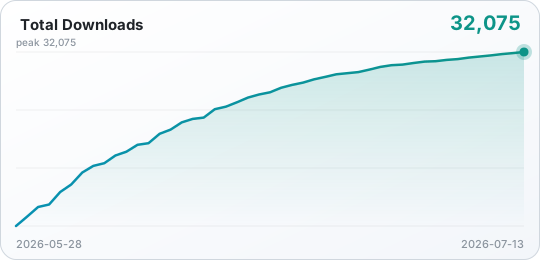
Download trend |
Star history |