Open the Xcode project ios/Runner/Runner.xcworkspace
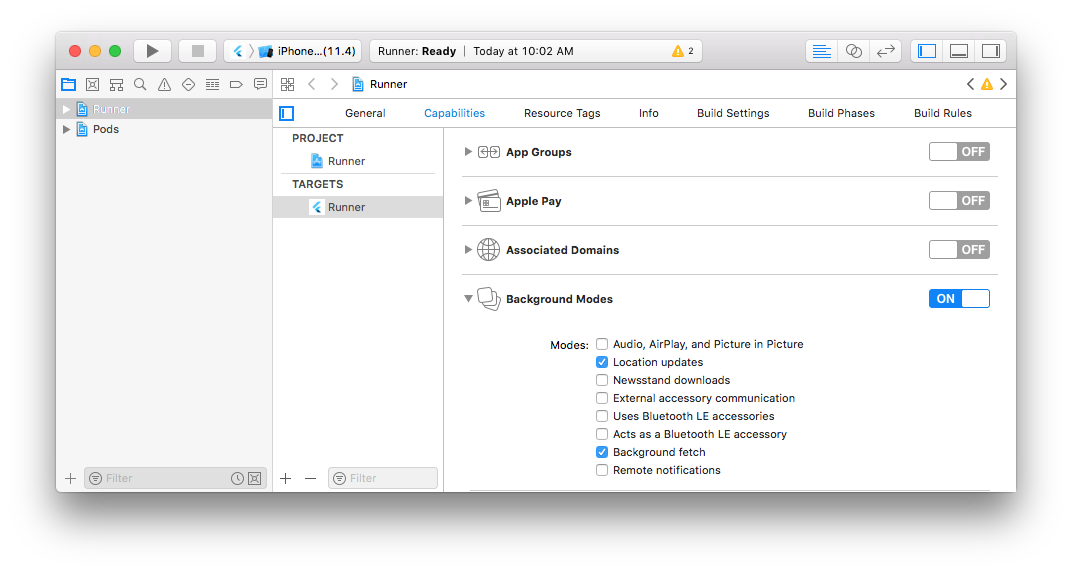
- Enable the background modes:
- Location updates
- Background fetch
- Audio (optional for debug-mode sound FX)
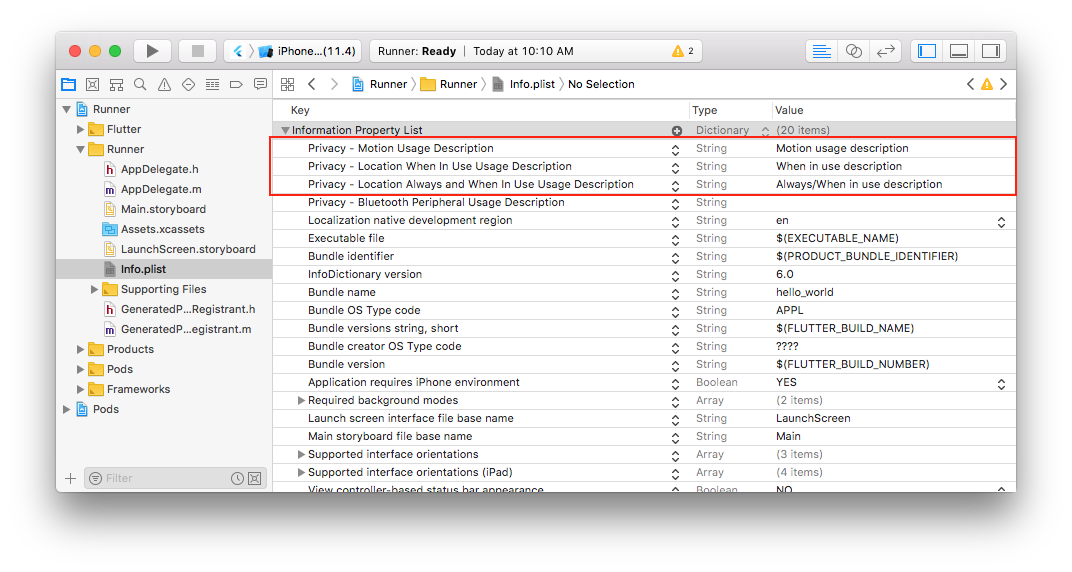
- Add the following permissions to
Info.plist:
| Key |
|---|
| Privacy - Location Always and When In Use Description |
| Privacy - Location When In Use Usage Description |
| Privacy - Motion Usage Description |
📂 ios/Runner/Info.plist
<dict>
+    <key>NSMotionUsageDescription</key>
+    <string>Motion usage description</string>
+    <key>NSLocationWhenInUseUsageDescription</key>
+    <string>When in use description</string>
+    <key>NSLocationAlwaysAndWhenInUseUsageDescription</key>
+    <string>Always/When in use description</string>

+    <key>UIBackgroundModes</key>
+    <array>
+        <string>fetch</string>
+        <string>location</string>
+    </array>
</dict>
</plist>The BackgroundGeolocation SDK makes use internally on background_fetch (also created by Transistor Software). Regardless of whether you intend to implement the BackgroundFetch Dart API in your app, you must perform the Background Fetch iOS Setup at the background_fetch repo.