This VS Code extension provides autocompletion of all AWS services that can be used as Service Principals in your IAM policies.
Tip
Stop AWS bill surprises before they ship.
Most infrastructure changes look harmless until next month's AWS bill lands. CloudBurn analyzes the cost impact of your AWS CDK changes right in the GitHub pull request, so expensive mistakes get caught during code review, while a fix is still a one-line change.

💰 Set it up once, then never be surprised by AWS costs again
- Install the free CDK Diff PR Commenter GitHub Action in the repository where you build your AWS CDK infrastructure
- Then install the CloudBurn GitHub App on the same repository
From then on, every PR with infrastructure changes gets a comment with your CDK diff analysis, and CloudBurn adds a cost report next to it:
- Monthly cost impact: whether this change raises or lowers your AWS bill, and by how much
- Per-resource breakdown: which resources drive the change, old versus new monthly cost
- Region-aware pricing: rates match the region your infrastructure actually deploys to
Cost review happens inside code review, so you optimize as you code, while the context is still fresh.
CloudBurn is free during beta. After launch, a free Community plan (1 repository, unlimited users) stays available.
- Auto-completion for AWS Service Principals: Provides intelligent auto-completion suggestions for AWS Service Principals when defining IAM policies or roles.
- Context-aware Suggestions: The extension intelligently detects when you're working with IAM policies or roles and only suggests Service Principal completions in relevant contexts.
- Supports Multiple Languages: Supports auto-completion for Service Principals in JSON, YAML, Terraform, and AWS CDK (TypeScript, and Python).
- Install the "AWS IAM Service Principal Snippets" extension in VS Code.
- Open or create a new file (
.json,.yml,.tf,.ts, or.py) where you're defining IAM policies or roles. - When you reach a point where you need to specify a Service Principal (e.g.,
Principalkey in JSON/YAML policies,assumed_byparameter in Python roles, etc.), start typing the name of the AWS service. - The extension will provide auto-completion suggestions for matching AWS Service Principals.
- Select the desired Service Principal to insert it into your code.
Example of auto-completion in action:
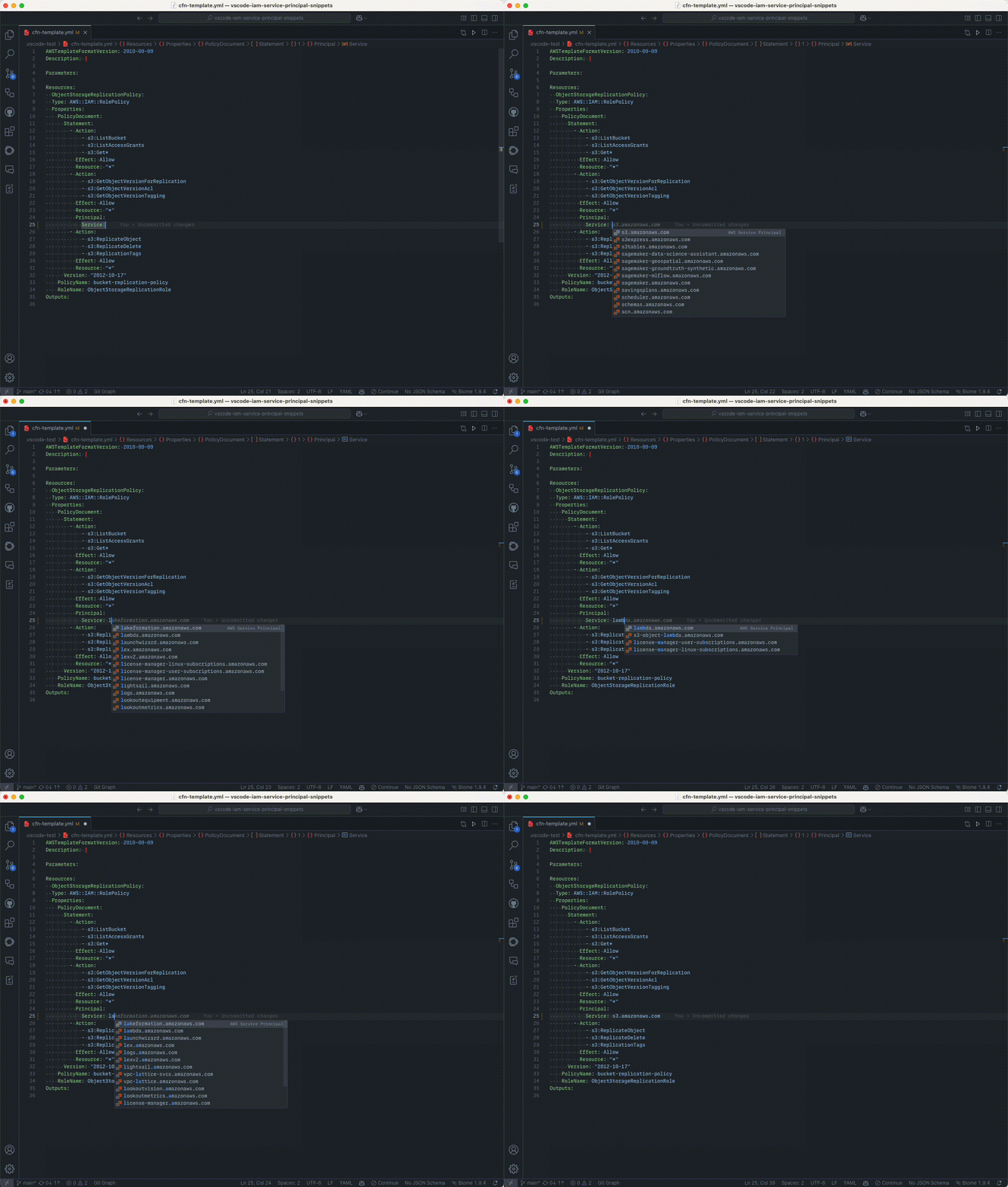
Note: If auto-completion doesn't trigger automatically, press
Ctrl+Space(orCmd+Spaceon macOS) to manually invoke IntelliSense.
If you have a feature request or an issue, please let me know on Github


