






A universal cache inspector for Django.
https://django-control-room.github.io/dj-cache-panel/
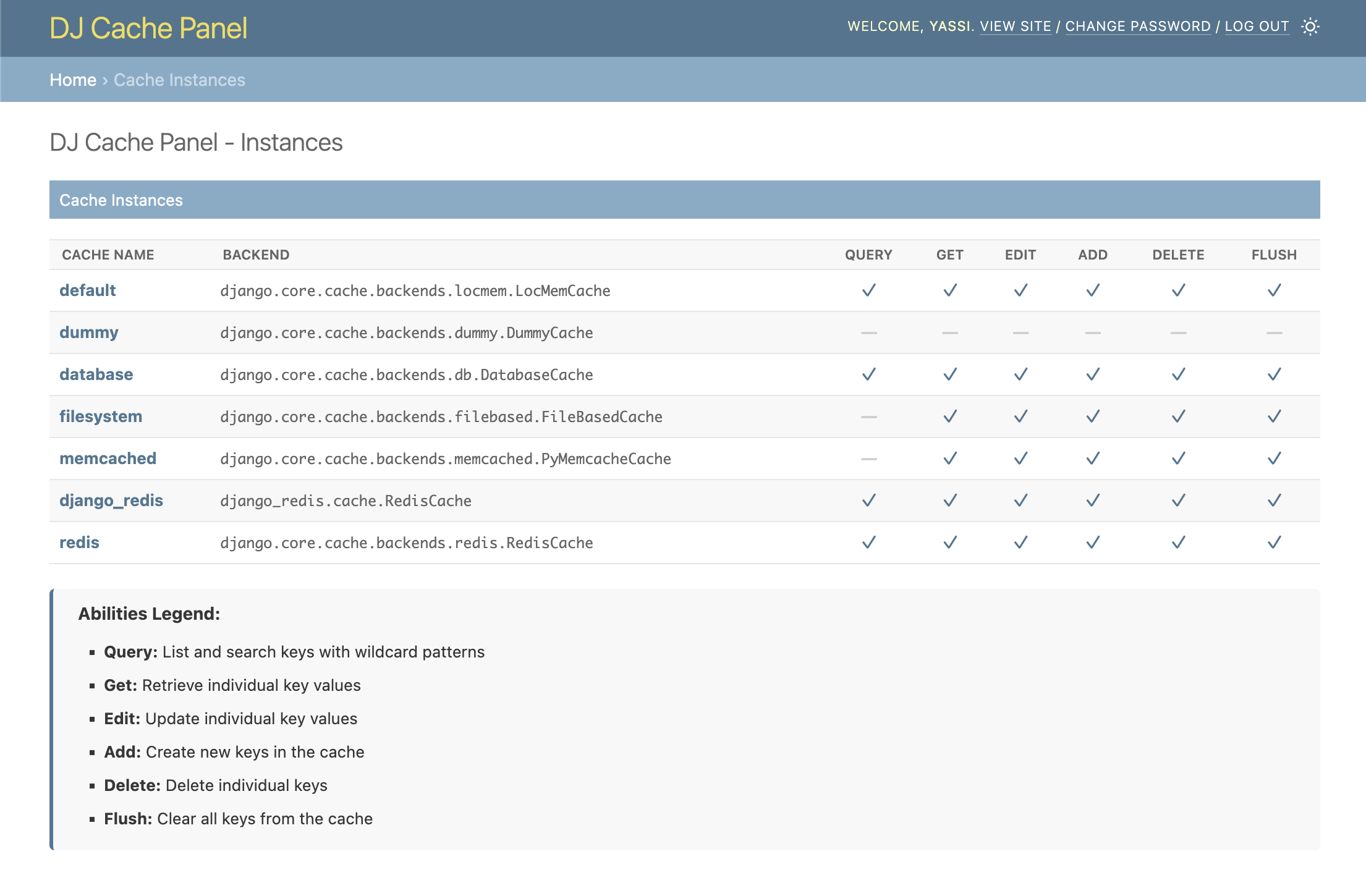
- Browse Cache Instances: View all configured cache backends from your
CACHESsetting - Abilities Matrix: See at a glance which operations each cache supports (Query, Get, Delete, Flush)
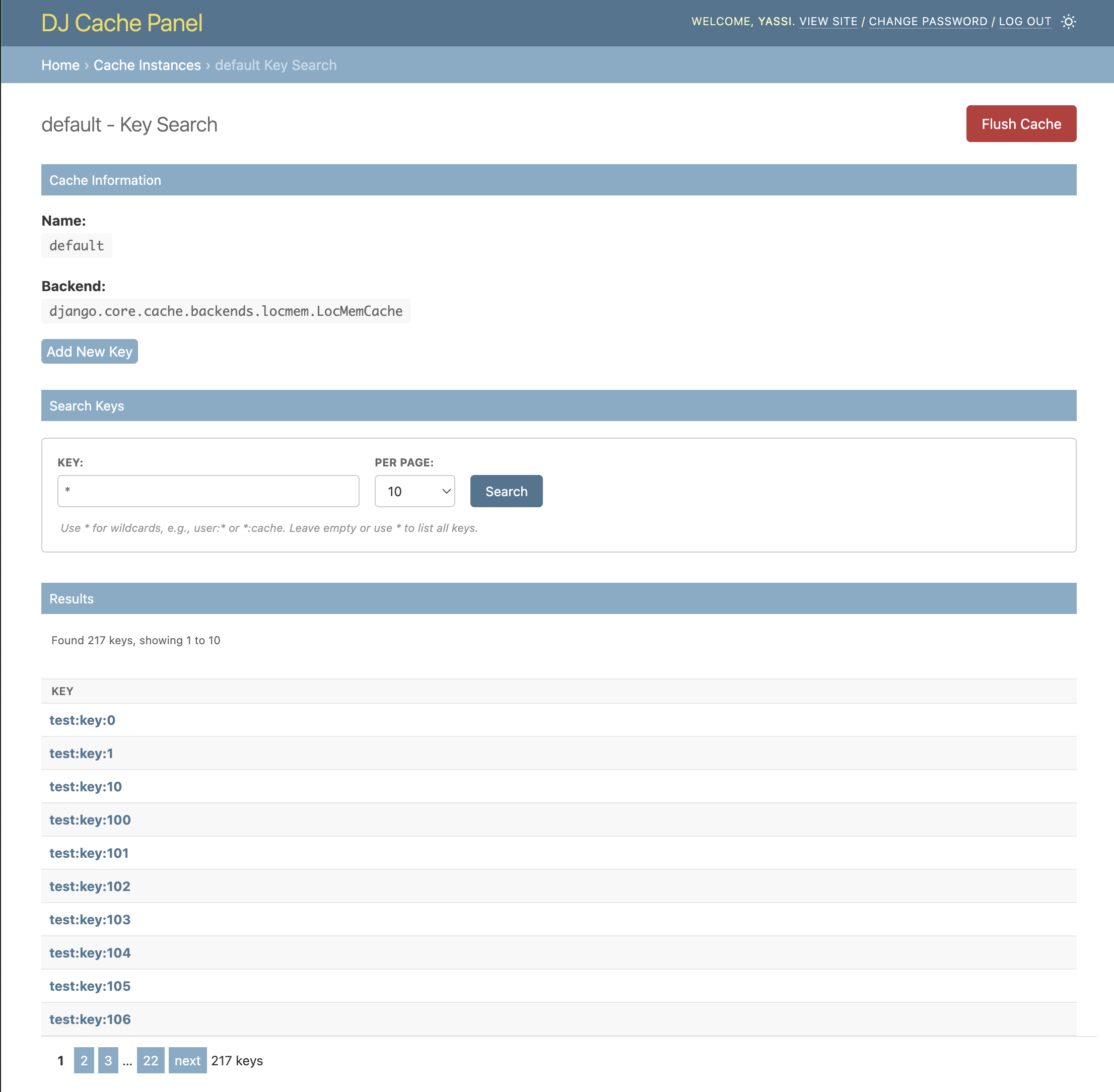
- Key Search: Search and browse cache keys with wildcard patterns (for supported backends)
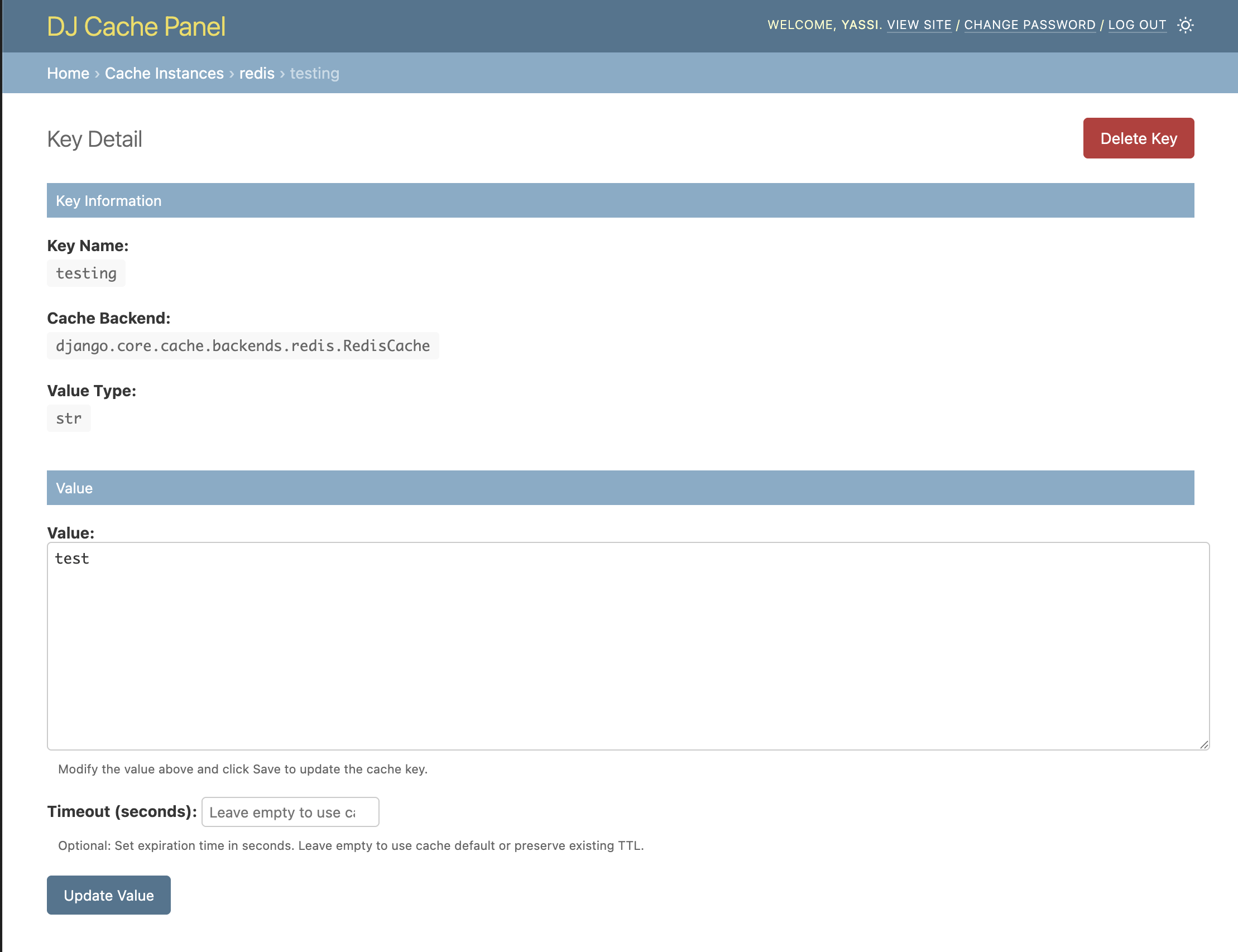
- Value Preview: View cache values directly in search results
- Pagination: Navigate through large sets of keys efficiently
- Admin Integration: Seamlessly integrates with Django's admin interface
- Secure: Only accessible to staff users
- Backend Agnostic: Works with any Django cache backend (with varying feature support)
dj-cache-panel/
├── dj_cache_panel/          # Main package
│   ├── templates/           # Django templates
│   ├── cache_panels.py      # Backend specific panels
│   ├── views.py             # Django views
│   └── urls.py              # URL patterns
├── example_project/         # Example Django project
├── tests/                   # Test suite
├── images/                  # Screenshots for README
└── requirements.txt         # Development dependencies
- Python 3.9-3.14
- Django 4.2+
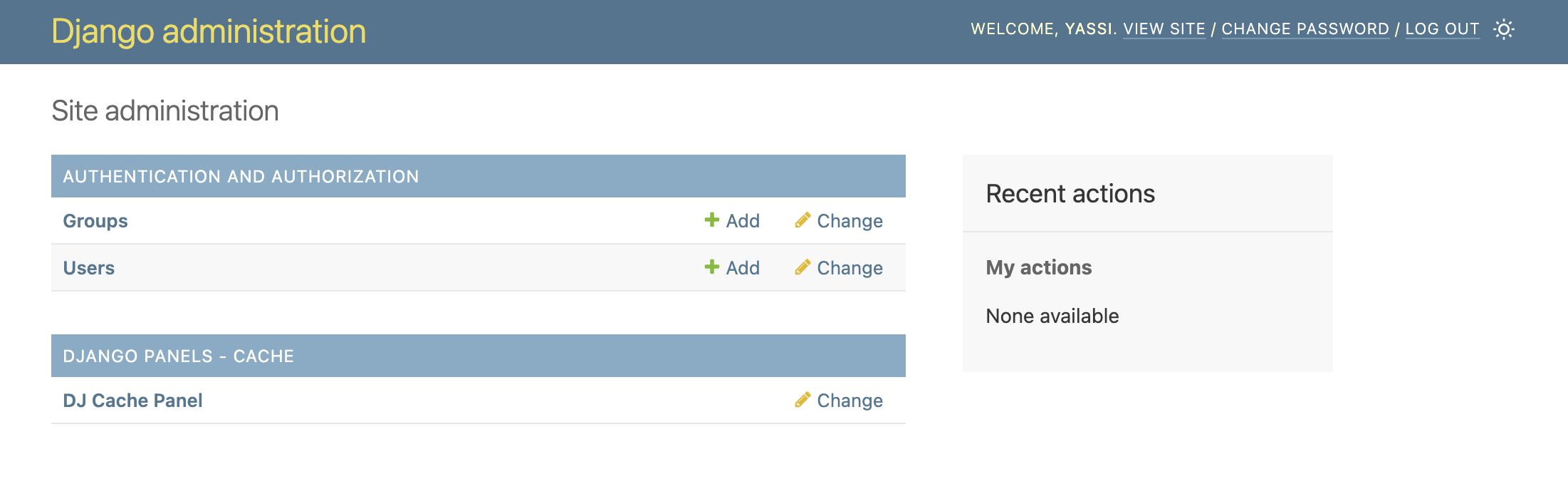
Seamlessly integrated into your Django admin interface. A new section for dj-cache-panel will appear in the same places where your models appear.
NOTE: This application does not actually introduce any model or migrations.
Get a list of all your caches as well as the allowed capabilities for each cache
pip install dj-cache-panelDjango Cache Panel supports Valkey cache backend as an optional dependency. Valkey requires Python 3.10+.
# Install with Valkey support
pip install dj-cache-panel[valkey]
This installs:
django-valkey- Valkey cache backend for Django
Add dj_cache_panel to your INSTALLED_APPS:
INSTALLED_APPS = [
    'django.contrib.admin',
    'django.contrib.auth',
    'django.contrib.contenttypes',
    'django.contrib.sessions',
    'django.contrib.messages',
    'django.contrib.staticfiles',
    'dj_cache_panel',  # Add this line
    # ... your other apps
]Django cache panel will use the CACHES setting normally defined in django projects
CACHES = {
    ...
}
Additionally, you can also define some extra settings for extending or changing behavior of the existing cache panels.
Note: these are advanced settings; the vast majority of django projects will not need to define any of these
DJ_CACHE_PANEL_SETTINGS = {
    # CSS: load built-in styles and/or inject your own
    "LOAD_DEFAULT_CSS": True,
    # Static paths are relative to app's static/ dir (e.g. 'myapp/css/overrides.css'
    # for a file at myapp/static/myapp/css/overrides.css). Full URLs also accepted.
    "EXTRA_CSS": [],

    # Optional: completely replace the default backend-to-panel mapping
    # "BACKEND_PANEL_MAP": {}
    #
    # Optional: extend or override specific backend-to-panel mappings
    # Panel classes can be specified as:
    #   - Simple class name (e.g., "RedisCachePanel") - for built-in panels
    #   - Full module path (e.g., "myapp.panels.CustomCachePanel") - for custom panels
    "BACKEND_PANEL_EXTENSIONS": {
        # Example: Map a custom backend to a custom panel class
        # "myapp.backends.CustomCache": "myapp.panels.CustomCachePanel",
        # Example: Override a built-in backend mapping
        # "django.core.cache.backends.redis.RedisCache": "myapp.panels.MyRedisCachePanel",
    },
    # Optional: per-cache settings overrides
    # Typically used to lock down a cache instance to only certain abilities
    "CACHES": {
        "redis": {
            "abilities": {  # Optional: override the abilities for this cache instance
                # "query": True,
                # "get_key": True,
                # "delete_key": True,
                # "edit_key": True,
                # "add_key": True,
                # "flush_cache": True,
            },
        }
    },
}Add the Cache Panel URLs to your main urls.py:
from django.contrib import admin
from django.urls import path, include

urlpatterns = [
    path('admin/dj-cache-panel/', include('dj_cache_panel.urls')),  # Add this line
    path('admin/', admin.site.urls),
]python manage.py migrate
python manage.py createsuperuser # If you don't have an admin user-
Start your Django development server:
python manage.py runserver
-
Navigate to the Django admin at
http://127.0.0.1:8000/admin/ -
Look for the "DJ_CACHE_PANEL" section in the admin interface
-
Click "Manage Cache keys and values" to start browsing your cache instances
This project is licensed under the MIT License. See the LICENSE file for details.
If you want to contribute to this project or set it up for local development:
- Python 3.9-3.14 (valkey requires 3.10+)
- Redis, Valkey, and Memcached servers running locally (or use Docker)
- Git
- Docker (recommended for simplified setup)
It is recommended that you use docker since it will automate much of dev env setup
git clone https://github.com/django-control-room/dj-cache-panel.git
cd dj-cache-panelpython -m venv venv
source venv/bin/activate # On Windows: venv\Scripts\activate
# Install base package and development dependencies
make install
# Or manually
pip install -e .
pip install -r requirements.txt# Default setup with Python 3.10
make docker_up
# Or with different Python version
PYTHON_VERSION=3.11 make docker_up
# Then open a shell
make docker_shellEnvironment Variables:
PYTHON_VERSION=3.11- Use specific Python version for Docker (default: 3.10)
The repository includes an example Django project for development and testing
cd example_project
python manage.py migrate
python manage.py createsuperuserAn optional CLI tool for populating cache keys automatically is included in the example django project in this code base.
python manage.py populate_redisThis command will populate your cache instance with sample data for testing.
python manage.py runserverVisit http://127.0.0.1:8000/admin/ to access the Django admin with Cache Panel.
The project includes a comprehensive test suite. You can run them by using make or by invoking pytest directly:
# Test in Docker container
make test_docker

# Test with specific Python version
PYTHON_VERSION=3.11 make test_docker

# Test without Docker (requires redis, valkey, memcached services running)
make test_local
Note: When using python 3.10 or greater you can enable valkey support by using the django-valkey package